Category: AI & Generative AI

  • How to Use Generative AI Safely for Everyday Work: A Practical Guide

    How to Use Generative AI Safely for Everyday Work: A Practical Guide

    Generative AI can save time on writing, planning, research, brainstorming, data cleanup, and routine communication. It can also make mistakes with confidence. That mix of speed and uncertainty is why the best way to use AI at work is not to treat it as an automatic answer machine. Use it as a fast assistant whose output still needs judgment.

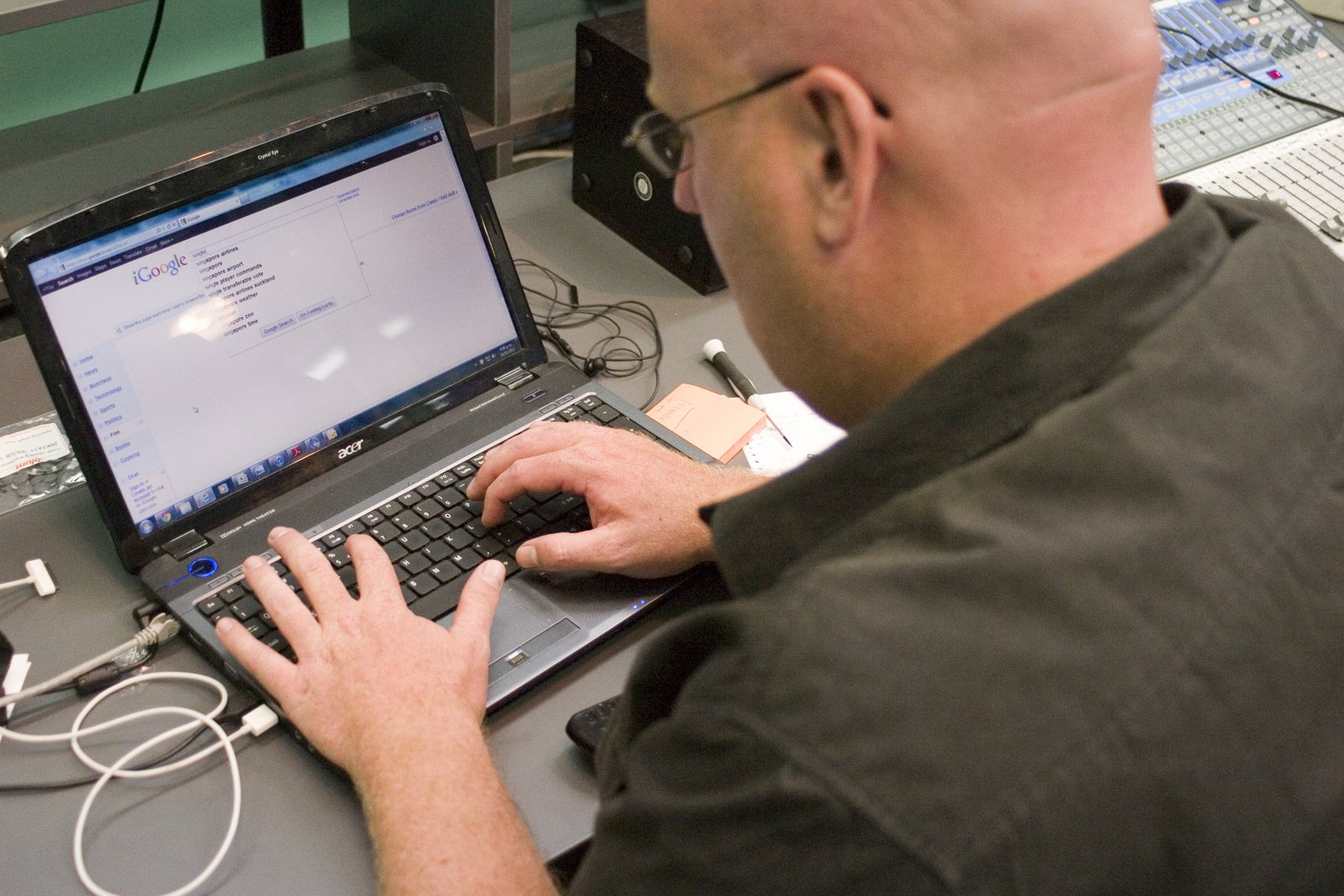
    Professional using generative AI tools for everyday work

    This guide shows a practical way to use generative AI safely in everyday work. You will learn what information is safe to share, how to write prompts that produce better results, how to check important claims, when human review is essential, and how to build a simple workflow that keeps AI useful without giving it more trust than it has earned.

    What generative AI is good at in everyday work

    Generative AI is strongest when a task has clear instructions, a known goal, and room for human review. It can summarize long notes, turn rough ideas into structured drafts, compare options, rewrite text for a different audience, suggest questions for a meeting, and create checklists from messy information.

    Tools from OpenAI, Anthropic, Google Gemini, and Microsoft Copilot can all support common knowledge-work tasks. The exact features differ, but the same safe-use habits apply across platforms.

    Good tasks to delegate first

    Start with low-risk work where an error is easy to spot and easy to fix. Examples include creating an outline for a blog post, rewriting a meeting summary, generating ten headline ideas, turning a long email into a short reply, or grouping a list of customer comments into themes.

    A useful test is simple: if the AI gives a wrong answer, can you notice the error before it causes harm? If the answer is yes, the task is often a good starting point. If the answer is no, the task needs stronger checks or should stay with a qualified person.

    Separate low-risk tasks from high-risk decisions

    Not every AI task deserves the same level of trust. A headline suggestion is different from a legal interpretation. A rough travel checklist is different from medical advice. A summary of public information is different from a decision that affects a person’s job, credit, health, or safety.

    For routine work, AI can often produce the first draft. For high-impact work, treat AI as one input among several. Important decisions should use reliable source material and qualified human review.

    A simple three-level risk test

    Low risk: brainstorming, formatting, tone changes, non-sensitive checklists, and first drafts. These usually need normal review.

    Medium risk: research summaries, customer-facing claims, technical instructions, financial calculations, and policy explanations. These need source checks and a second review.

    High risk: legal conclusions, medical decisions, employment decisions, safety-critical instructions, confidential strategy, or actions that move money or change access. These should not rely on AI alone.

    Do not paste sensitive information by default

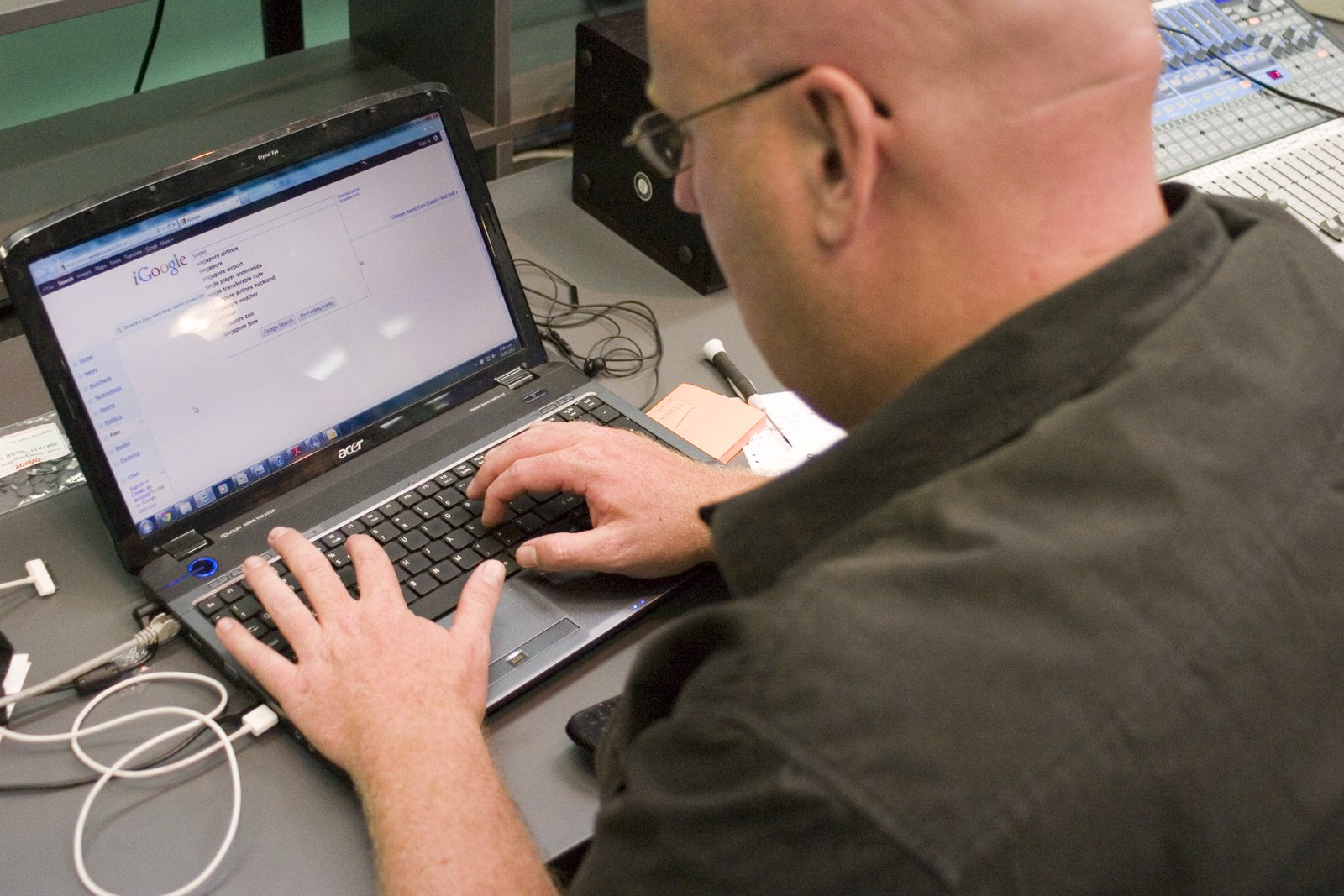
    Laptop security and data privacy concept for safe AI use

    One of the easiest mistakes is to copy private material into an AI tool because it makes the task faster. Before sharing anything, remove information that is not needed for the task. Names, customer records, passwords, private contracts, unpublished financial data, authentication codes, API keys, and internal credentials should stay out unless your organization has explicitly approved the tool and the use case.

    Use the minimum-data rule

    Ask yourself: what is the smallest amount of information the AI needs to help me? If you want help improving the tone of a customer email, replace the customer’s name, account number, and order ID with placeholders. If you want help analyzing a spreadsheet pattern, use a small anonymized sample instead of the full customer database.

    For workplace use, follow your employer’s policy and the privacy controls of the service you use. The NIST AI Risk Management Framework is also a useful reference for organizations building more formal AI governance.

    Write prompts that make mistakes easier to detect

    A good prompt does more than ask for an answer. It defines the task, limits, output format, and evidence standard. This helps the AI produce something that is easier to review.

    Use a four-part prompt structure

    1. Goal: state what you want to achieve. For example, “Summarize these notes for a project manager who missed the meeting.”

    2. Context: give only the background that changes the answer. For example, “The project is two weeks behind and the client asked for a revised launch date.”

    3. Constraints: state what the AI must not invent. You can say, “Use only the facts in the notes. If a date is missing, say it is missing.”

    4. Format: request a structure that is easy to check. For example, “Return decisions, owners, deadlines, open questions, and risks in separate sections.”

    This method reduces vague output and makes missing facts more visible.

    Ask the AI to show uncertainty

    AI systems often produce smooth sentences even when the underlying answer is uncertain. You can reduce this problem by explicitly asking the model to separate known facts from assumptions.

    Try instructions such as “Label every assumption,” “Do not guess missing figures,” “List the claims that need verification,” or “Tell me which parts depend on information that is not provided.” These instructions do not make AI perfect, but they make review faster.

    Use confidence labels carefully

    Do not treat a model’s self-reported confidence as proof. A confident-sounding answer can still be wrong. Confidence labels are useful only as a reminder to check uncertain areas. The real test is whether the claim can be supported by trustworthy evidence.

    Verify facts with primary or authoritative sources

    Fact checking and source verification during AI research

    Verification is the most important habit in safe AI use. When an answer contains facts that matter, check them outside the model. The best source depends on the claim. Product specifications should come from the manufacturer. Laws should come from official government or legal sources. Scientific claims should be checked against reputable research or recognized institutions. Company policies should come from the company itself.

    Use a claim-by-claim check

    Instead of rereading an entire answer and thinking “this looks right,” identify the claims that could change a decision. Verify dates, prices, statistics, legal requirements, technical steps, names, product limits, and quotations. If a claim is not important, you may not need a deep check. If it could cause a wrong decision, verify it.

    For public information, the U.S. Federal Trade Commission, government agencies, official documentation, and manufacturer support pages are often better sources than unsourced summaries.

    Do not use AI-generated citations without checking them

    AI can sometimes produce a title, author name, publication, or web link that looks real but is not. This is especially risky in academic, legal, technical, and business research.

    Whenever AI gives you a citation, open the source yourself. Confirm that the page exists, that the author and title match, and that the source actually supports the claim. If you cannot find the source, do not include the citation.

    A safer research workflow

    First, ask AI to help identify the questions you need to research. Second, gather reliable sources yourself or through trusted search tools. Third, give the verified source material to the AI for summarization or comparison. Finally, check the finished output against the sources before you share it.

    This source-first approach is safer than asking the model to invent a research trail from memory.

    Use AI for drafts, not automatic publishing

    AI can produce a strong first draft quickly. It can also miss context, repeat ideas, overstate certainty, or use a tone that does not fit your audience. A short human editing pass can fix many of these problems.

    Use a five-minute review checklist

    Check whether the answer is factually correct. Remove repetitive language. Confirm names and numbers. Rewrite sentences that sound generic. Add context only you know. Make sure the tone matches the reader. Then check whether any private information is still present.

    For public content, also check whether the article adds original value. A useful post should solve a real problem, explain the steps clearly, and offer examples that a reader can apply.

    Be careful with generated code and technical instructions

    AI can help explain code, draft functions, find possible bugs, and create test cases. But generated code may contain security problems or use outdated methods. Never run unfamiliar code in production just because it looks clean.

    Test in a safe environment

    Use a development environment, staging site, test account, or sample data. Read the code before running it. Check dependencies. Confirm that destructive commands are not hidden inside a longer script. For security-sensitive changes, use peer review or a qualified developer.

    If AI suggests a command that deletes files, resets a database, changes permissions, rotates keys, or alters firewall rules, stop and verify every part before execution.

    Watch for automation bias

    Automation bias happens when people trust a computer-generated recommendation because it is fast, detailed, or presented neatly. A long answer can feel more reliable than a short one even when both are wrong.

    To avoid this, compare important AI output with your own knowledge, another source, or a second method. If an AI-generated calculation matters, recalculate it independently. If an AI summary changes a business decision, read the key original material yourself.

    Use the “challenge the answer” step

    After receiving an answer, ask: “What could make this wrong?” Then ask the model to identify weak assumptions, missing information, and alternative explanations. This turns the AI from a single-answer generator into a tool for examining the problem from more than one angle.

    Create repeatable AI workflows instead of random prompting
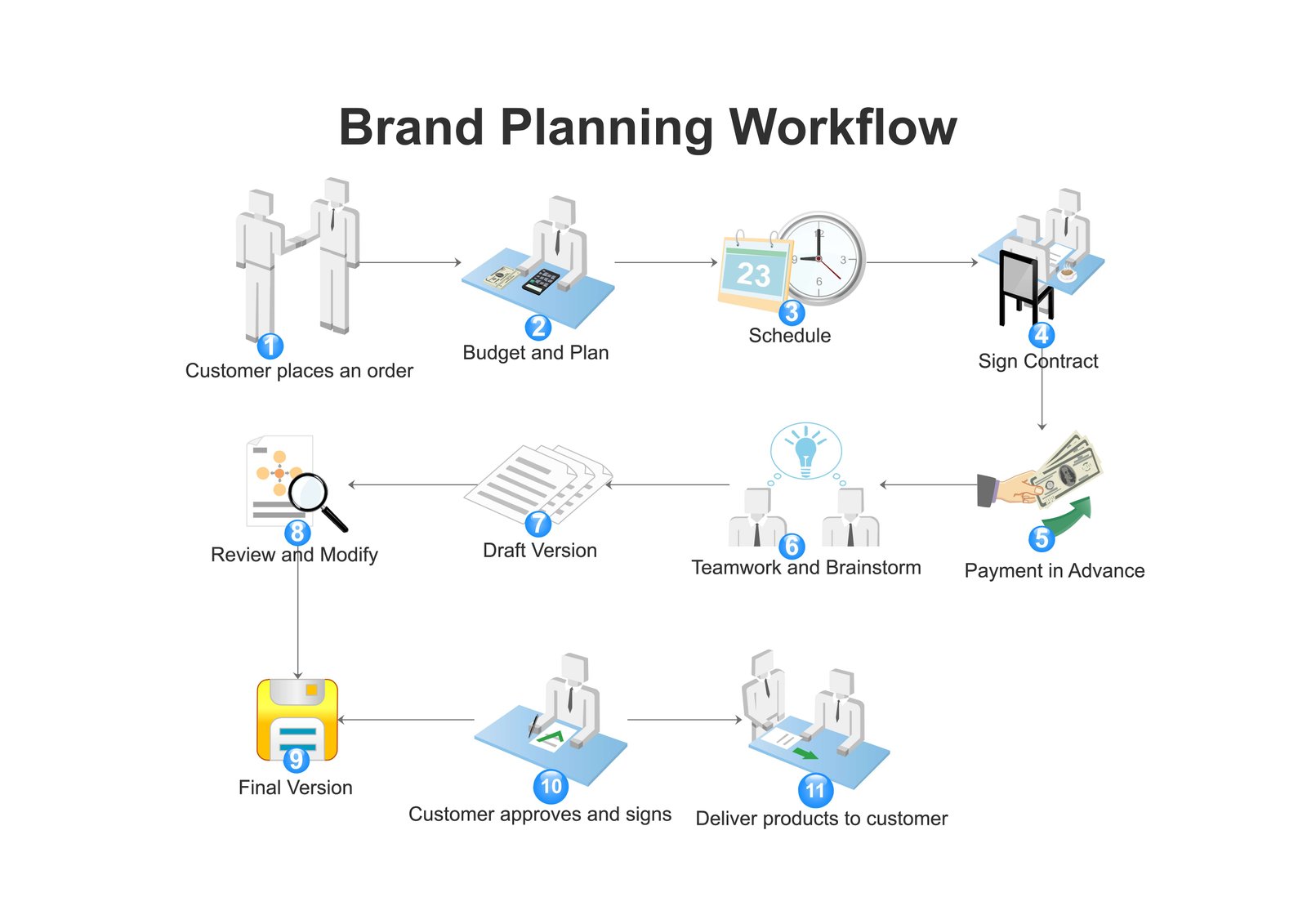
    Structured workflow planning for reliable AI-assisted work

    A repeatable workflow is easier to audit than a series of ad-hoc prompts. For example, a marketing team could use AI to turn call notes into a draft brief. The process might be: remove personal data, upload only approved notes, request a structured summary, verify numbers, add human context, and then publish the final brief.

    Example: preparing a client update

    Imagine you have messy notes from a weekly project meeting. First, delete account credentials and unrelated personal details. Next, ask the AI to create sections for completed work, blockers, next steps, owners, and deadlines. Then compare each deadline with the original notes. Finally, rewrite any vague sentence and send the update only after human review.

    The AI saves time, but the human still owns accuracy.

    Keep an audit trail for important work

    For low-risk personal tasks, you may not need a formal record. For important business work, it helps to keep the original source, the final approved output, and notes about major changes. This makes it easier to understand where a mistake came from and to improve the workflow later.

    Document the role of AI

    In a team, clarify whether AI was used for drafting, summarizing, translation, coding, or decision support. This is especially useful when multiple people review the same work. The goal is not paperwork for its own sake. It is accountability.

    Know when to stop using AI

    Sometimes the fastest safe choice is to stop prompting and use a human expert or primary source. Do this when the task involves high stakes, the model keeps contradicting itself, the source material is missing, the answer depends on private context you cannot share, or you cannot independently verify the result.

    AI is most useful when it reduces effort without removing responsibility.

    A practical generative AI safety checklist

    Before you use AI, define the task and its risk level. Remove information the model does not need. Give clear instructions and tell it not to guess. Ask it to identify assumptions. Verify important facts with authoritative sources. Review all public or customer-facing content. Test code away from production. Keep humans responsible for high-impact decisions.

    If you follow those steps consistently, AI becomes easier to use well because you are building checks into the process rather than trying to spot every possible mistake afterward.

    Conclusion

    Safe generative AI use is not about avoiding the technology. It is about using it for the right tasks, with the right amount of data, and with the right review process. Start with low-risk work. Keep sensitive information out unless the environment is approved. Ask for structured outputs. Verify important claims. Treat AI-generated citations and code as untrusted until checked. Most importantly, keep a human responsible for the final decision.

    A practical rule is enough for most everyday work: let AI increase your speed, but never let speed replace verification.


  • AI Hallucinations Explained: How to Verify AI Answers Before You Trust Them

    AI Hallucinations Explained: How to Verify AI Answers Before You Trust Them

    AI tools can write a clear answer in seconds. The problem is that a clear answer is not always a correct answer. A model may invent a source, mix up two people, use an outdated fact, misread a question, or produce a number that looks reasonable but is wrong. These errors are commonly called AI hallucinations.

    Person checking information on a laptop before trusting an AI answer

    You do not need to be an AI researcher to protect yourself from them. What matters is learning which claims deserve checking, where to verify them, and how to design your workflow so one wrong sentence does not become a wrong decision.

    This guide explains AI hallucinations in plain English and gives you a practical system for checking AI-generated information before you rely on it.

    What is an AI hallucination?

    An AI hallucination is an output that sounds plausible but is not supported by reliable facts or by the material the model was given. It may be fully invented, partly wrong, outdated, or created by combining separate facts in the wrong way.

    For example, an AI assistant might give you the title of a research paper that does not exist. It might describe a product feature that belongs to another model. It might quote a law using wording that is not in the law. It might calculate a percentage incorrectly while explaining the calculation in a confident tone.

    The important point is that the language can look polished even when the claim is weak. Fluency is not proof.

    Hallucination does not always mean “completely made up”

    Some errors are obvious inventions. Others are subtle. A model may correctly identify a company but use the wrong launch date. It may summarize an article accurately except for one statistic. It may produce code that works in most cases but fails on an important edge case.

    That is why verification should focus on the claims that affect your decision, not only on answers that look suspicious.

    Why AI systems can produce confident mistakes

    Generative AI systems are designed to produce useful language based on patterns in data and the context of a prompt. They are not human witnesses, live databases, or automatic fact-checkers. Unless a system is connected to reliable current sources and those sources are actually used, it may answer from patterns rather than verified evidence.

    Organizations such as NIST publish guidance about managing AI risk, including the need to evaluate reliability and monitor failures. Major AI providers such as OpenAI, Anthropic, and Google AI also describe limitations and evaluation as part of responsible AI use.

    The model may fill a gap instead of leaving it blank

    If you ask for a detail that is missing, some models may try to produce a likely answer rather than saying “I do not know.” You can reduce this behavior by writing prompts that explicitly allow uncertainty.

    For example, say: “If the source does not contain the answer, state that the information is missing. Do not infer a value.” This creates a clear rule for the model and makes gaps easier to see.

    Learn the five common forms of AI hallucination

    Hallucinations appear in different forms. Knowing the pattern makes them easier to catch.

    1. Invented facts

    The model states something that has no reliable basis. This can include fake dates, product features, company announcements, statistics, or historical details.

    2. Invented citations

    The model gives a convincing-looking paper title, journal, author, court case, report, or web link that does not exist or does not support the claim.

    3. Mixed facts

    The model combines correct details from different people, products, laws, or events. Each piece may look familiar, which makes the final error harder to notice.

    4. Wrong calculations

    The explanation may be reasonable while the arithmetic is wrong. This is common when the task includes several percentages, date calculations, unit conversions, or conditional steps.

    5. Unsupported certainty

    The model gives a definite recommendation when the available information is incomplete. The answer may not contain one obvious false statement, but it may still be unreliable because the conclusion goes beyond the evidence.

    Start by identifying which claims actually matter

    Checking every word in a long AI response can waste time. A better method is to identify decision-critical claims.

    Ask yourself: which statements would cause a problem if they were wrong? Usually these include dates, prices, numbers, requirements, product specifications, names, quotations, legal rules, medical claims, security instructions, code behavior, and source citations.

    Example: checking a product comparison

    Suppose an AI assistant compares three laptops and recommends one because it has the longest battery life, two Thunderbolt ports, and a three-year warranty. Do not verify every adjective in the answer. Check the battery claim, port configuration, and warranty on the manufacturers’ official pages. Those facts directly support the recommendation.

    If one of them is wrong, the conclusion may need to change.

    Use a source ladder for verification

    Not all sources deserve equal trust. A simple source ladder helps you choose where to check an AI claim.

    Level 1: primary sources

    Use the organization responsible for the information. For an Apple feature, check Apple. For Android documentation, check Android or official developer documentation. For a U.S. consumer rule, check the relevant government agency such as the Federal Trade Commission.

    Level 2: strong independent sources

    Use respected publications, standards bodies, universities, peer-reviewed research, or established technical documentation when a primary source is unavailable or needs independent context.

    Level 3: community discussion

    Forums, social posts, and user comments can reveal real-world experiences, but they should not be your only source for important factual claims. They are better for discovering issues to investigate than for proving a fact.

    Check AI citations one by one

    Never assume a citation is real because it looks academic or includes a plausible author name. Open the source yourself.

    Use this citation check

    First, confirm that the source exists. Second, confirm the author, title, and publication details. Third, find the passage that supports the claim. Fourth, check whether the source is current enough for the question. Fifth, make sure the AI has not reversed or overstated the source’s conclusion.

    If you cannot locate the supporting passage, remove the citation from your work until you can verify it.

    Verify numbers independently

    Numbers deserve special attention because a small arithmetic mistake can change a business or financial decision.

    Recalculate instead of rereading

    If the AI says that revenue rose from 80,000 to 100,000, calculate the percentage change yourself rather than asking the model whether its first answer was correct. Independent recalculation breaks the loop where the same system repeats the same mistake.

    You can also use a spreadsheet or calculator for important arithmetic. If several formulas depend on each other, check a small sample manually and compare results.

    Verify dates and time-sensitive facts

    AI answers can become outdated quickly. Product availability, software features, company leadership, prices, laws, schedules, and policies can change after training data was collected.

    Look for a date on the source

    When the question is time-sensitive, check when the source was published or updated. A technically correct article from three years ago may no longer answer a current question.

    If the AI says “currently,” “latest,” “today,” or “now,” demand current evidence rather than accepting a memory-based answer.

    Ask the model to separate facts from assumptions

    A useful prompt can make the model show where it is reasoning beyond the evidence.

    Try: “Create two sections: facts supported by the provided material and assumptions that require verification.” You can also ask: “For every recommendation, state which facts it depends on.”

    Why this works

    It turns hidden assumptions into visible review items. You still need to check the answer, but you know where to focus first.

    Give the AI a closed source set when accuracy matters

    For important summarization tasks, do not ask the model to answer from general knowledge if you already have authoritative documents. Give it the approved source material and tell it to use only that material.

    Example: internal policy summary

    Imagine a company has a 30-page travel policy. Instead of asking, “What expenses can employees claim?” provide the policy and ask the AI to summarize allowed expenses with page or section references. Tell it to mark any question that the policy does not answer.

    This reduces the chance that the model mixes your company’s rules with common practices from elsewhere.

    Use a second method, not just a second prompt

    When the answer matters, asking the same model the same question twice is not strong verification. It may repeat the same error.

    A stronger check uses a different method: consult the original document, use an official website, run the calculation yourself, test the code, or ask a qualified person.

    Cross-checking with another AI

    A second AI system can be useful for spotting disagreements, but agreement between two models is still not proof. Two systems can repeat the same widely circulated error. Use disagreement as a signal to investigate, not agreement as a substitute for evidence.

    Test AI-generated code before you trust it

    Code hallucinations can include nonexistent functions, outdated packages, insecure defaults, wrong API parameters, or logic that fails on edge cases.

    A practical code verification workflow

    Read the code. Check the official documentation for unfamiliar functions. Run it in a test environment. Add unit tests for normal and edge cases. Review authentication, file access, database operations, and error handling. Scan dependencies for known issues. Only then move the change toward production.

    Never run a command you do not understand just because an AI says it is required.

    Watch for fabricated quotes

    Quotations are easy to misuse. An AI may paraphrase an idea and place it inside quotation marks, or attach a real quote to the wrong person.

    Search for the exact wording

    If a quote matters, find it in a reliable original or authoritative transcript. If you cannot confirm the exact words, use a paraphrase and cite the source instead of presenting uncertain wording as a direct quote.

    Be stricter with health, legal, financial, and safety information

    Some errors are more costly than others. When AI output could affect health, legal rights, money, physical safety, or another high-impact area, verification should be stronger.

    Use official sources and qualified professionals. Treat AI as a way to organize questions, understand terminology, or prepare for a discussion. Do not make it the final authority.

    Example: preparing questions for a professional

    If you receive a complicated insurance letter, AI can help you list unfamiliar terms and create questions to ask the insurer or adviser. That is a useful support role. It is different from asking AI to make the final legal or financial judgment for you.

    Use a “stop rule” for uncertain answers

    People often keep prompting until they get an answer that sounds satisfying. That can create false confidence. A stop rule prevents this.

    Stop and switch to a reliable source when the model contradicts itself, cannot provide evidence, changes key facts between answers, or keeps inventing details. The same applies when the cost of a mistake is high.

    A seven-step AI verification workflow

    Step 1: identify the decision you are trying to make. Step 2: highlight the claims that affect that decision. Step 3: separate facts from assumptions. Step 4: check primary sources. Step 5: independently recalculate important numbers. Step 6: test technical instructions in a safe environment. Step 7: get human review for high-impact decisions.

    How this looks in real life

    Suppose you ask AI whether a new software plan is cheaper than your current setup. The model gives a polished comparison. You identify the important claims: monthly price, included users, storage limit, cancellation terms, and tax. You verify each item on the vendor’s pricing and policy pages. You calculate the annual total yourself. Only after those checks do you use the AI’s summary to support the decision.

    The AI still saves time because it helps structure the comparison. Verification protects the decision.

    How to prompt for safer answers

    You can improve review quality with simple instructions. Ask the model to say when it lacks information. Tell it not to invent sources. Request a list of claims that need external verification. Ask it to quote only from material you supplied. Require it to distinguish direct evidence from inference.

    A reusable prompt pattern

    You can write: “Answer using only the information I provide. If a fact is missing, label it ‘not provided.’ List any assumptions separately. Do not create citations. At the end, give me a verification checklist for the claims that would affect a decision.”

    This prompt does not guarantee correctness, but it creates a much better review surface.

    Common mistakes people make when fact-checking AI

    One mistake is checking only the first claim and assuming the rest is fine. Another is using a search snippet without opening the source. A third is asking the same AI to validate itself. People also overlook dates, accept citations without reading them, or confuse a brand’s marketing claim with independent evidence.

    Avoid those shortcuts when the answer matters.

    Build verification into your normal workflow

    The best protection is not a one-time fact check. It is a repeatable habit. For example, a content team can require source links for statistics, a finance team can independently check calculations, and a development team can require testing before AI-generated code is merged.

    When verification is part of the process, people do not have to remember it only after something looks wrong.

    Conclusion

    AI hallucinations are a practical limitation, not a reason to avoid AI completely. The safest approach is to use AI for speed, structure, and first drafts while keeping evidence and human judgment in control.

    Identify the claims that matter. Verify them with primary or authoritative sources. Recalculate numbers. Check citations. Test code. Be stricter with high-stakes topics. And when the model cannot show a reliable basis for an important answer, stop prompting and switch to a source you can trust.

    The goal is not to prove that every AI sentence is wrong. It is to make sure one confident mistake does not become your mistake.

    Calculator and spreadsheet used to verify AI-generated calculations
    Developer reviewing code on a laptop to test AI-generated software
    Cybersecurity research workflow for verifying sensitive AI claims
  • How to Create a Simple AI Policy for a Small Business: Practical Rules Your Team Can Follow

    How to Create a Simple AI Policy for a Small Business: Practical Rules Your Team Can Follow

    Small businesses are adopting AI faster than many of them are writing rules for it. Employees may use AI to draft emails, summarize documents, write code, create images, research competitors, or answer customer questions. These uses can save time, but the business still needs a clear answer to basic questions: Which tools are approved? What data can be shared? Who checks the output? Which actions require human approval?

    Cybersecurity protections included in a small business AI policy

    A useful AI policy does not need to be fifty pages long. For a small team, a clear two- or three-page policy can be more effective than a complicated document nobody reads. This guide shows how to create practical rules that employees can follow during normal work.

    Start with the purpose of the policy

    The first section should explain why the policy exists. Keep it simple. The goal is usually to gain the productivity benefits of AI while protecting customer information, confidential business data, security, accuracy, intellectual property, and the company’s reputation.

    Write the purpose in plain English

    For example: “Our team may use approved AI tools to support work, but employees remain responsible for accuracy, privacy, security, and final decisions.” This sets the tone for the rest of the document.

    Define what counts as an AI tool

    Employees may think the policy applies only to chatbots. Include generative writing tools, image generators, coding assistants, transcription services, AI search, meeting assistants, browser extensions, customer-support bots, and agentic automation.

    The category matters because different tools can receive different kinds of data and permissions.

    Include built-in AI features

    AI may appear inside office software, design apps, browsers, CRM systems, and operating systems. A policy should cover AI features used for company work even when AI is not the main product.

    Create an approved-tools list

    Do not leave employees guessing which services they can use. Maintain a short list of approved tools and the types of work allowed in each.

    For example, one service may be approved for public marketing drafts, another for internal company documents, and a coding assistant for approved repositories.

    Review provider settings before approval

    Check authentication, data retention, training controls, administrator features, encryption, connected apps, and business-plan terms. Use current official documentation from the provider.

    Block unapproved tools for sensitive work

    A free consumer AI site should not automatically receive confidential customer records or proprietary files simply because an employee finds it convenient.

    Your policy can allow experimentation with public or synthetic data while requiring approval before a new tool handles internal information.

    Provide a simple approval path

    If employees need a new AI service, tell them who to ask and what information to provide. A slow or confusing process encourages unofficial use.

    Define data that must never be pasted into AI

    Create a short prohibited-data list. This often includes passwords, API keys, private encryption keys, one-time codes, authentication cookies, security answers, and other credentials.

    Depending on the business, it may also include payment-card data, health records, government identifiers, unreleased financial results, confidential legal documents, and sensitive customer information.

    Use examples employees recognize

    “Do not share secrets” is vague. “Do not paste customer passwords, payment details, API keys, or private contracts into an unapproved AI tool” is clearer.

    Create a second category for restricted data

    Some information may be allowed only in approved enterprise tools or only after anonymization.

    Examples include internal meeting notes, customer support records, non-public product plans, employee information, and source code.

    Use the minimum-data rule

    Even in an approved tool, share only what the task requires. Remove names, account numbers, and unrelated details when possible.

    Make employees responsible for final output

    AI can draft work, but the person using it remains responsible for what leaves the company.

    Require human review before customer emails, published articles, proposals, reports, legal statements, public social posts, and business decisions.

    AI should not be the final approver

    An employee should never defend a false claim by saying “the AI wrote it.” The business owns the output it sends or publishes.

    Require fact checking for factual content

    AI can invent dates, citations, product features, statistics, or policies. Employees should verify important claims against reliable sources.

    Primary sources should be preferred for company policies, product specifications, laws, standards, and official requirements.

    Define decision-critical facts

    Employees do not need to verify every adjective. They should verify facts that affect money, compliance, safety, customer expectations, technical behavior, or a business decision.

    Create a rule for AI-generated citations

    Never publish an AI-generated citation without opening the source and confirming that it exists and supports the claim.

    This is especially important for research, legal, healthcare, financial, and technical content.

    Set rules for customer communication

    Decide whether AI may draft customer replies, whether it may send them automatically, and which topics require human review.

    A safe starting point is draft-only use for normal support communication.

    Escalate high-impact cases

    Refund disputes, account closures, security incidents, legal threats, medical issues, and high-value sales decisions should have a human owner.

    Define rules for AI customer-service bots

    If customers talk directly to an AI system, disclose the experience appropriately and give users a route to human support when needed.

    Do not let the bot invent policies, promise refunds it cannot issue, or expose information from another customer account.

    Limit backend permissions

    A support bot that only needs order status should not automatically gain access to billing administration or user deletion.

    Create coding-assistant rules

    AI-generated code should follow the same engineering process as human-written code.

    Require version control, review, automated tests, dependency checks, secret scanning, and extra review for authentication, payments, file handling, database changes, and permissions.

    Do not paste production secrets

    Credentials should remain in secure environment variables or a secret-management system, not in prompts or code examples.

    Create rules for AI agents

    Agentic systems can do more than produce text. They may edit files, send messages, run commands, or interact with business software.

    Your policy should distinguish read-only tasks from actions that change data.

    Use approval gates

    Require human confirmation before an AI sends money, deletes records, publishes content, changes user permissions, sends mass email, signs agreements, or modifies production infrastructure.

    Use least-privilege permissions

    Connected AI tools should receive only the access needed for the job.

    If an agent needs one project folder, do not grant an entire drive when narrower access exists. If it only needs to read a calendar, do not grant event deletion.

    Set a rule for file sharing

    Employees should check whether files created by an AI workflow remain private, are shared with a team, or become available through public links.

    Review “anyone with the link” settings

    Convenient sharing can accidentally expose internal work. Require deliberate permission settings for confidential files.

    Address intellectual property

    Employees should not paste confidential third-party material into an AI service unless the company has the right and approval to do so.

    For generated images, code, and content, review provider terms, source licenses, and business requirements where ownership or reuse matters.

    Do not copy competitors

    AI should not be used to rewrite a competitor’s article paragraph by paragraph or imitate protected brand assets. Use it to build original work from approved facts and your own expertise.

    Create marketing-content rules

    AI can help generate drafts, outlines, headlines, descriptions, and visual concepts. Require human review for accuracy and originality.

    Do not publish fake testimonials, invented case studies, false product claims, or fabricated statistics.

    Create image-generation rules

    Decide whether AI-generated images are allowed for marketing, editorial illustration, product mockups, or internal design.

    For real products, do not let generated visuals show features the product does not have.

    Use transparency when context requires it

    Do not present a synthetic image as documentary evidence of an event that did not happen.

    Address employee decisions

    AI should not make high-impact employment decisions without appropriate human review and legal guidance.

    Hiring, firing, promotion, performance, compensation, and disciplinary decisions can involve fairness and legal risk.

    Address financial and legal work

    AI can help summarize documents or prepare questions, but important financial and legal conclusions should be checked by qualified people and primary sources.

    Set clear escalation rules

    Employees should know when AI assistance stops and a lawyer, accountant, security specialist, or manager must take over.

    Define record-keeping requirements

    For high-impact automated workflows, keep a record of important inputs, actions, approvals, and final results.

    You do not need to archive every brainstorming prompt. Focus on workflows where traceability matters.

    Set retention expectations

    Employees should know whether AI-generated drafts, uploaded files, chat logs, and exported data need to be kept or deleted.

    Align this with existing company retention and privacy policies.

    Protect AI accounts

    Require strong authentication for company AI services. Use unique passwords or passkeys and multi-factor authentication.

    Remove access promptly when an employee leaves or changes roles.

    Use company-managed accounts when practical

    Business accounts make it easier to manage access, billing, and offboarding than scattered personal accounts.

    Define who owns AI governance

    Even a small company should name one person or role responsible for the approved-tools list, policy updates, and incident questions.

    This could be an owner, operations lead, IT manager, or security contact.

    Create an incident process

    Employees need to know what to do if they accidentally share sensitive data, an AI sends the wrong message, or an agent makes an unexpected change.

    Report quickly

    The policy should encourage immediate reporting. Early action may allow the company to revoke access, rotate credentials, remove public content, or contact affected parties.

    Train people with real examples

    A short training session is more useful than emailing a policy and assuming everyone understands it.

    Show examples of an approved marketing prompt, a prohibited password-sharing prompt, an AI hallucination, and a customer reply that needs human review.

    Keep the policy easy to find

    Put the current version in a shared company location. Include a contact for questions.

    A policy hidden in an old PDF will not guide daily work.

    Review the policy regularly

    AI products gain capabilities quickly. A tool that once generated text may later gain file access, browsing, memory, or agent actions.

    Review approved tools and permissions after major product changes and on a regular schedule.

    Update rules based on actual incidents

    If employees repeatedly make the same mistake, improve the process or training instead of adding vague warnings.

    Use a simple risk matrix

    Classify AI tasks as low, medium, or high risk.

    Low risk may include brainstorming public content. Medium risk may include customer-facing drafts or internal analysis. High risk may include payments, legal decisions, production changes, confidential records, or security controls.

    Match controls to risk

    Low-risk work may need normal review. Medium-risk work may need source verification and manager approval. High-risk work may require a qualified human and restricted tools.

    Example policy rule set

    Use only approved AI tools for company work. Never share passwords or security secrets. Minimize personal and confidential data. Verify factual claims. Human review is required before public or customer-facing output. AI-generated code follows normal testing and review. Agents need approval before destructive or external actions. Report mistakes immediately.

    This short rule set can become the core of a longer policy.

    Example: marketing team

    The marketing team may use approved AI tools for outlines, headline ideas, draft copy, and visual concepts. A human checks facts, claims, links, brand tone, and image rights before publishing.

    Example: support team

    The support team may use AI to summarize tickets and draft responses. The system may not reveal another customer’s data. Refund exceptions and account closures require a human.

    Example: development team

    Developers may use approved coding assistants with company repositories. They must not paste secrets. Generated code goes through version control, tests, code review, and security checks.

    Example: business owner

    An owner may use AI to compare vendors or summarize contracts, but price, cancellation terms, legal obligations, and payment decisions are verified against the original source.

    A small-business AI policy checklist

    Write the purpose. Define AI tools. Create an approved list. Define prohibited and restricted data. Require human ownership. Add fact-checking rules. Set customer-communication limits. Add code and agent controls. Use least privilege. Protect accounts. Define incident reporting. Train employees. Review the policy regularly.

    Conclusion

    A small-business AI policy should make safe behavior easier, not create paperwork for its own sake. Employees need clear answers about which tools they can use, which data they can share, what they must verify, and which actions require human approval.

    Start with a short policy. Use plain language and real examples. Keep credentials and sensitive data out of unapproved tools. Require normal quality review for AI-generated work. Give agents narrow permissions. Create a fast way to report mistakes.

    As AI tools change, update the policy. The goal is not to slow adoption. It is to make sure the business gains useful automation without giving up privacy, security, accuracy, or accountability.

    Employee researching approved AI tools and reliable sources
    Business network used by connected AI tools and services
    Connected mobile device managed under a workplace AI policy
  • Personal AI Assistants and Memory: What to Share, What to Keep Private, and How to Stay in Control

    Personal AI Assistants and Memory: What to Share, What to Keep Private, and How to Stay in Control

    Personal AI assistants become more useful when they understand your preferences, past work, writing style, projects, and recurring tasks. The same context that makes an assistant helpful can also include information you would not want copied into the wrong place or exposed to a service that does not need it.

    Cybersecurity controls for protecting personal AI assistant data

    The answer is not to avoid personalization. It is to use it deliberately. This guide explains how AI assistant memory and connected context can work, what kinds of information are useful to share, what should stay private, and how to keep control as assistants become more integrated with files and apps.

    What “memory” can mean in an AI assistant

    AI products use the word memory in different ways. One service may remember preferences across chats. Another may keep conversation history. A work tool may index approved documents. An agent may read connected email or calendar data only when a task requires it.

    These systems are not identical. Before relying on memory, understand whether information is stored as chat history, profile preferences, indexed files, temporary context, or data from a connected app.

    Do not assume every remembered detail is stored the same way

    A writing preference such as “use short paragraphs” may be treated differently from a document uploaded for one project. Review the product’s official privacy and data-control information.

    Why memory is useful

    Without memory, you may need to repeat the same context every time. A personal assistant can be more efficient when it already knows your preferred output format, recurring project names, standard terminology, or common workflow.

    Useful memory reduces setup time rather than replacing judgment.

    Good memory saves instructions, not secrets

    Preferences such as language, tone, measurement units, report format, or how you like tasks grouped are low-risk examples. Passwords and private keys are not.

    Separate preferences from sensitive facts

    A useful privacy habit is to divide information into three groups: safe preferences, contextual information that should be shared only when needed, and secrets that should not be stored in an AI assistant.

    Safe preferences

    Examples include preferred writing tone, favorite document structure, time format, coding style, or whether you want concise explanations.

    Context that needs judgment

    Project names, internal plans, travel details, customer information, financial documents, and private messages may be useful for a task but should be shared only with an approved service and only when needed.

    Secrets

    Passwords, one-time codes, API keys, private encryption keys, authentication cookies, and security answers should stay in systems designed to protect them.

    Use a password manager for credentials

    An AI chat is not a substitute for a password manager. Store login credentials in a dedicated password manager or approved enterprise secret-management system.

    Reputable password managers provide encryption, access controls, recovery options, and autofill designed for credentials.

    Use placeholders in prompts

    If an AI needs to help write code that uses an API, write API_KEY_HERE instead of pasting the real key. If it needs to draft an email about an account, use a masked account number unless the exact value is necessary and approved.

    Apply the minimum-data rule

    Ask what the assistant needs to complete the task and remove everything else.

    If you want help improving a contract summary, the assistant may need the contract but not unrelated customer records. If you want help rewriting a support reply, it may not need a complete payment history.

    Less data means fewer things can go wrong

    Data minimization reduces privacy exposure and often improves answer quality because the model sees less irrelevant information.

    Understand connected apps

    Modern assistants can connect to services such as cloud storage, email, calendars, project tools, and business systems. Connections can save large amounts of time, but they also change what the assistant may be able to access.

    Review the scope before connecting an app.

    Read access and write access are different

    An assistant that can search your calendar is lower risk than one that can delete events. A tool that can read a project board is different from one that can close tasks or invite users.

    Give the narrowest permission possible

    Use least privilege. If the assistant only needs to read files from one folder, do not give it an entire drive when a folder-level permission exists.

    If a connector allows read-only access, start there. Add write permission only when the workflow needs it.

    Permissions should match the task

    Convenience is not a good reason to grant broad access permanently.

    Review connected apps periodically

    Connections can be forgotten after a project ends. Every few months, review which apps, accounts, and services are connected to your AI tools.

    Remove access that is no longer needed.

    Old connections create hidden exposure

    A service you stopped using last year does not need ongoing access to current files.

    Keep work and personal context separate

    If you use AI for both business and personal tasks, separate accounts or workspaces where appropriate.

    A personal travel conversation should not accidentally include internal client documents. A business assistant should not need access to private family files.

    Use workspace boundaries

    Projects, folders, team workspaces, and separate browser profiles can help keep contexts apart.

    Be careful with health and financial data

    Medical records, insurance documents, banking information, tax files, and investment statements can be highly sensitive.

    Use services explicitly approved for those data types and follow any applicable legal or organizational requirements.

    Summarize without identifiers when possible

    If you only need help understanding a document structure, remove names, addresses, account numbers, and other identifiers first.

    Personalization does not require full identity

    An assistant can learn that you prefer simple English without knowing your legal name. It can remember that you manage a software project without storing every private customer detail.

    Choose the level of personalization that creates useful value.

    Think before sharing location

    Location can improve weather, travel, restaurant, and event answers. Precise location is not necessary for every request.

    Use city-level context when that is enough. Share an exact address only when the task truly needs it.

    Current location and home address are different risks

    A temporary city for a trip may be less sensitive than a permanent home address stored in long-term context.

    Be cautious with family information

    An assistant may help plan birthdays, school tasks, or family travel, but avoid storing unnecessary personal details about other people.

    Children’s data deserves extra care. Share only what the task requires.

    Do not upload an entire mailbox for one email

    If you want help replying to one message, provide that message or use a connector that can retrieve the exact thread. More context is not always better.

    Large data access can make it harder to understand which information influenced the answer.

    Use project-specific files

    For a work project, create a clean source set with the documents the assistant is allowed to use.

    This improves both privacy and accuracy. The assistant can focus on approved material instead of searching unrelated files.

    Archive old source sets

    When a project ends, remove obsolete files or move them out of the active AI workspace if they are no longer needed.

    Ask the assistant what context it used

    When an answer surprises you, ask which files, messages, or remembered preferences influenced the result if the product supports that level of transparency.

    This can help identify stale or incorrect context.

    Correct wrong context quickly

    If an assistant keeps applying an old preference or outdated project detail, update or remove that context instead of repeatedly working around it.

    Do not let memory replace source verification

    An assistant may remember a product preference or previous conclusion, but current facts can change.

    Prices, software versions, laws, schedules, product availability, and company policies should be checked against current sources.

    Personal memory and public facts serve different roles

    Memory helps personalize the answer. Live sources establish current reality.

    Understand conversation retention

    AI services have different policies for storing chat history, deleted conversations, temporary chats, and enterprise data.

    Read the current official policy for the plan you use. Providers can change features and controls over time.

    Review training controls

    Some services let users choose whether their content may be used to improve models. Business and enterprise products may have different defaults from consumer products.

    Do not assume. Check the actual setting and provider documentation.

    Plan choice matters

    A free personal account and a company-managed account can have different privacy guarantees, retention rules, and administrator controls.

    Use temporary or private modes when appropriate

    If a service provides a temporary conversation mode that does not become part of normal memory or history, use it for one-off sensitive topics when that matches your needs.

    Temporary mode is not a license to share secrets. The minimum-data rule still applies.

    Check file-sharing permissions

    If an assistant creates or edits a document in cloud storage, confirm who can access the file afterward.

    A private document should not become “anyone with the link” simply because a workflow created a share link.

    Review external collaborators

    Old team members or vendors may retain access to folders that become sources for an AI assistant.

    Protect the account that controls the assistant

    AI privacy depends partly on account security. Use a unique password or passkey, enable strong multi-factor authentication, and review signed-in devices.

    If someone gains access to the account, they may see chat history, files, or connected-app permissions.

    Protect recovery methods

    Your recovery email and phone number can become an attack path. Keep them current and secure.

    For important business accounts, use phishing-resistant authentication where supported.

    Watch for unexpected agent actions

    An assistant with tools may be able to modify files, send messages, or make changes. Keep approval gates around high-impact actions.

    Reading a draft is different from sending it to a customer. Preparing a payment summary is different from moving money.

    Separate preparation from execution

    Let the assistant prepare the action and let a human approve the final step.

    Use logs for important business workflows

    If an AI agent can change business systems, keep a record of what it did, which source it used, and who approved the result.

    This helps with accountability and troubleshooting.

    Avoid storing security procedures with exploitable secrets

    It is fine for an assistant to remember a general workflow such as “deploy to staging before production.” It should not remember the private key used to access the server.

    Separate procedure from credential

    Instructions can live in documentation. Secrets belong in a secure vault.

    Use anonymized examples for learning

    If you want AI to help design a customer-service process, use sample records with fake names and values when real data is not required.

    This is often enough to test prompts and workflows.

    Delete unnecessary exports

    AI workflows can create CSV files, downloaded emails, temporary PDFs, screenshots, and converted documents.

    Clean up temporary copies after the task is complete, especially if they contain personal or confidential information.

    Consider local AI for highly private tasks

    Some tasks can run on your own phone or computer using on-device or local models. This can reduce the need to send raw data to an external service.

    Local software still needs device security, updates, backups, and careful configuration.

    Teach family or team members simple rules

    A privacy policy only works if people understand it.

    A simple set of rules might be: never paste passwords, minimize personal data, use approved tools, check connected-app permissions, verify important facts, and require approval before an AI sends or deletes anything.

    Review memory after major life or work changes

    Old context can become inaccurate. If you change roles, companies, projects, addresses, or preferences, review what the assistant still assumes.

    Useful memory should reflect your current situation.

    Example: using memory for a writing workflow

    It can be useful for an assistant to remember that your articles use plain English, short paragraphs, practical examples, and a specific SEO structure.

    It does not need customer passwords, private analytics tokens, or unrelated personal information to apply that style.

    Example: using a connected calendar

    If you ask an assistant to find open meeting times, read access may be enough. If you ask it to schedule meetings, it needs write access.

    Keep automatic invitations behind confirmation until you trust the workflow.

    Example: using a connected drive

    Give the assistant access to the project folder, not an entire personal drive, when the platform supports that scope. Keep confidential archives outside the active source set.

    A practical privacy checklist

    Know what the product means by memory. Store preferences, not secrets. Use minimum necessary data. Review connected apps. Separate work and personal context. Protect the AI account with strong authentication. Keep recovery secure. Verify current facts outside memory. Use approval gates for write actions. Remove old access. Delete unnecessary exports. Review privacy settings after major product updates.

    Conclusion

    Memory can make a personal AI assistant dramatically more useful because it reduces repeated instructions and keeps long-running work coherent. The privacy challenge is deciding which context creates value and which information creates unnecessary risk.

    Share stable preferences and task-relevant context. Keep credentials and authentication secrets in dedicated security tools. Scope connected apps narrowly. Review old permissions and remembered information. Use current sources for facts that can change.

    A helpful AI assistant does not need to know everything about you. It needs the right information for the work you want it to do, with clear boundaries around everything else.

    Notes used to decide what information an AI assistant should remember
    Computer settings used to manage connected AI assistant tools
    Network connection used by cloud-based AI assistant features
  • AI Search vs Traditional Search Engines: When to Use Each and How to Verify the Answer

    AI Search vs Traditional Search Engines: When to Use Each and How to Verify the Answer

    Search is changing. Traditional search engines return pages, maps, videos, products, and other sources. AI search tools can read several sources and produce a direct answer. Both approaches can save time, but they solve different problems and create different risks.

    Research notes used to compare AI answers with original sources
    A simple verification habit is to keep a short research note beside the answer. Write down the important claim, the source that supports it, the date of that source, and any number that changes your decision. This prevents a smooth AI summary from becoming the only record of the research. It also makes it easy to revisit the decision later if prices, policies, software versions, or product details change.

    An AI answer may be faster when you want a summary. A traditional search engine may be better when you need the original source, local information, exact product pages, or several viewpoints. The strongest workflow often uses both.

    This guide explains when to use AI search, when to use traditional search, and how to verify an answer before it affects a decision.

    What traditional search does well

    A traditional search engine is designed to help you discover pages and resources that match a query. You usually see several options and decide which result deserves trust.

    Services such as Google, Bing, and DuckDuckGo organize huge parts of the public web and provide specialized results for images, maps, news, shopping, and local businesses.

    Search gives you direct access to the source

    If you need a company’s warranty terms, an official government rule, or a product manual, search can take you directly to the page that owns the information.

    What AI search does well

    AI search can combine information from several pages, explain unfamiliar terms, compare viewpoints, and turn a long research trail into a readable summary.

    It is especially useful when your question is broad, such as “What should I compare before buying a mesh Wi-Fi system?” or “Summarize the main differences between these three software plans.”

    AI reduces the work of opening many pages

    Instead of reading ten articles from beginning to end, you can use AI to identify the important themes and then open the sources that support the claims you care about.

    Direct answers are convenient but can hide uncertainty

    A search-results page makes it obvious that information comes from different websites. An AI answer can blend those sources into one confident paragraph.

    That smooth presentation can make weak evidence look stronger than it is.

    Fluency is not proof

    A clear answer may still contain an outdated date, a misunderstood source, or a recommendation based on incomplete information. Treat important claims as items to verify.

    Use traditional search for primary-source facts

    If one organization controls the correct answer, go to that organization.

    For an Apple device specification, use Apple. For an Android security bulletin, use Android Security Bulletins. For U.S. consumer guidance, use the relevant government agency such as the Federal Trade Commission.

    Search for the official domain

    Add the organization name or use a site-specific search when many reseller or commentary pages appear above the primary source.

    Use AI search for orientation

    If you are new to a topic, AI can create a map of what you need to learn.

    Ask for key terms, major decisions, common mistakes, and a checklist of facts that require verification. Then use search to confirm those facts.

    Example: buying a home router

    An AI tool can explain Wi-Fi generations, mesh systems, Ethernet backhaul, channel width, and device compatibility. Once you shortlist products, verify exact ports, supported standards, warranty, and update policy on manufacturer pages.

    Use traditional search when freshness is critical

    Prices, product availability, laws, leadership roles, release dates, sports results, weather, software versions, and event schedules change quickly.

    AI tools with live search can handle current information, but you should still look at the publication date and original source.

    Watch relative time words

    Words such as today, latest, current, recently, and this week require fresh evidence. A correct answer from last month may be wrong today.

    Use AI when you need a comparison framework

    AI is good at turning a vague decision into criteria.

    For example, if you are comparing password managers, ask AI to build a checklist covering platform support, encryption design, MFA, passkeys, export options, family sharing, recovery, price, and security audits.

    Then fill the table from sources

    Do not let the model invent the values. Use official provider pages for each row that matters.

    Traditional search is better for exact navigation

    If you know what you want, a direct search can be faster than a conversation. Searching “Mozilla Firefox download” or “Microsoft Windows recovery options” can take you directly to the needed page.

    AI adds little value when the task is simply finding a known destination.

    AI is better for explaining unfamiliar language

    Technical pages can be difficult to understand. AI can translate jargon into plain English, explain prerequisites, and show a simple example.

    Keep the original source open while you read the explanation.

    Ask for a source-grounded explanation

    Paste or provide the authoritative text and ask the model to explain only that material. This reduces the chance that it mixes in unrelated knowledge.

    Search snippets are not full sources

    Traditional search has its own reliability problem. A snippet may remove context, combine text from different parts of a page, or reflect an older cached version.

    Open the result before relying on the claim.

    Do not cite a snippet as if you read the page

    Read enough surrounding content to understand what the source actually says.

    AI citations must be opened

    If an AI answer provides citations, check them. Confirm that the page exists, that it is the source claimed, and that it supports the sentence next to the citation.

    AI systems can sometimes attach a relevant-looking source that does not actually prove the specific claim.

    Check the exact supporting passage

    For important numbers or rules, find the wording on the source page instead of assuming the citation is enough.

    Use a source hierarchy

    When several sources disagree, rank them by authority.

    Primary sources include government agencies, official product documentation, standards organizations, original research, court documents, and the company responsible for a policy.

    Strong secondary sources include established publications, universities, independent testing organizations, and respected technical sites.

    Community sources have a different role

    Forums and social media are useful for real-world experiences, common problems, and edge cases. They are weaker for proving exact policy, specification, or scientific claims.

    Separate facts from recommendations

    A product can have a factual 5000 mAh battery and still receive different recommendations from different reviewers.

    Facts can often be verified directly. Recommendations depend on priorities, experience, and opinion.

    Ask why a recommendation was made

    Good AI search should show which facts support a recommendation. If the reasons do not match your needs, choose differently.

    Use search for local businesses and services

    Restaurant hours, store inventory, local service areas, ratings, and addresses change frequently. Local search tools and maps often provide more useful structured data than a general AI answer.

    AI can still help compare options or build a shortlist once current local data is available.

    Use AI to improve the next search query

    If search results are poor, ask AI to generate more precise terms.

    For example, instead of searching “laptop slow,” AI may suggest checking SSD health, thermal throttling, startup apps, memory pressure, and Windows power settings. Those terms produce more targeted searches.

    Use quote search for exact phrases

    When verifying a quote, policy sentence, error message, or unusual technical phrase, put the exact wording in quotation marks in a traditional search engine.

    This helps you locate the original source or discover that a quote has been repeated without context.

    Use date filters for fast-changing topics

    Search engines often let you limit results to the past day, week, month, or year. Use these filters for software changes, news, current product comparisons, and evolving technical guidance.

    Publication date is not always event date

    An article published today may describe an event that happened months ago. Read the timeline inside the source.

    Use multiple search queries for disputed topics

    Your first wording can bias the results. Search the topic with neutral terms and alternative phrasing.

    Instead of “why product X is bad,” search “product X independent review,” “product X known issues,” and “product X official specifications.”

    Ask AI for counterevidence

    After an AI recommendation, ask what evidence could support the opposite conclusion. This can reveal assumptions and missing factors.

    Use AI for long-document triage

    If you have a long report, AI can identify the sections likely to answer your question.

    Then read the relevant pages directly, especially when the conclusion affects money, compliance, security, health, or legal rights.

    Use traditional search for downloads

    Software downloads are a security-sensitive case. Search for the official vendor and download from the official site or trusted app store.

    Do not download an executable just because an AI answer linked to a third-party mirror.

    Verify publisher signatures where appropriate

    For important software, check the publisher and digital signature before installation.

    AI can help detect missing questions

    When researching a purchase or technical decision, ask AI: “What important questions have I not asked?”

    This can reveal warranty, repairability, update support, privacy, compatibility, migration, or total-cost issues.

    Do not use only one AI answer for high-stakes work

    Health, legal, financial, safety, and security questions need stronger evidence.

    Use official sources and qualified professionals. AI can help you organize questions and understand terms, but it should not become the sole authority.

    Check numbers independently

    If an AI search answer calculates a percentage, total cost, conversion, or comparison, recalculate it with a calculator or spreadsheet.

    A correct source can still be combined with incorrect arithmetic.

    Keep a research note for important decisions

    Save the key source links, dates, and facts that led to your decision.

    This is useful when prices change, policies are updated, or you need to explain the decision later.

    A fast verification workflow

    First, read the AI answer and highlight claims that affect the decision. Second, open the cited source. Third, prefer the primary source when available. Fourth, check the date. Fifth, verify numbers. Sixth, search for credible disagreement. Seventh, separate facts from opinions. Eighth, make the decision using your own priorities.

    You do not need to verify every sentence

    Focus on the claims that would change what you do.

    Example: researching a software subscription

    Ask AI to compare features and identify differences. Then open each vendor’s pricing, privacy, export, and cancellation pages. Calculate the annual cost yourself. Search for current user reports about issues that official pages will not describe, such as support delays.

    The AI organizes the research. The sources prove the facts.

    Example: troubleshooting a phone problem

    AI can help translate symptoms into possible causes. If a phone suddenly overheats, it may suggest checking battery usage, recent apps, charging equipment, and software updates.

    Use the manufacturer’s support page for model-specific warnings and repair guidance.

    Example: researching a current tech trend

    Ask AI for a summary of the topic and the names of primary sources. Then search those organizations directly. Check dates and compare at least two independent sources if the topic is disputed.

    Common mistakes with AI search

    Trusting citations without opening them, ignoring dates, treating opinion as fact, assuming a source is primary because it looks professional, and accepting a neat comparison table without checking the values are common mistakes.

    Common mistakes with traditional search

    Reading only snippets, clicking sponsored downloads without checking the domain, trusting the first result, using one biased query, and relying on old pages for current facts can also lead to wrong answers.

    A practical rule for choosing the tool

    Use AI when you need synthesis, explanation, comparison criteria, or help finding the right questions. Use traditional search when you need the original source, exact navigation, current local data, direct downloads, or broad source discovery.

    Use both when the answer matters.

    Conclusion

    AI search and traditional search are not replacements for each other. They are different layers of the same research process. Traditional search gives you direct access to sources. AI search helps you understand and combine information faster.

    The most reliable workflow uses AI for orientation and synthesis, then verifies decision-critical claims on authoritative pages. Open citations. Check dates. Recalculate numbers. Look for credible disagreement. Keep the original source closer to your decision than the AI summary.

    That approach gives you the speed of AI without giving up the transparency that made search useful in the first place.

    Cybersecurity reminder for checking sensitive AI search results
    Use a stronger verification standard for security, financial, legal, health, and account-related questions. Open the cited page, confirm that the wording supports the claim, and prefer the organization that owns the rule or data. Do not download software, enter credentials, or change security settings only because an AI answer sounds confident. The faster workflow is to use AI for explanation, then confirm the few facts that would change what you actually do.
    Laptop used to compare search results across several reliable sources
    When sources disagree, do not average them blindly. Check whether one source is newer, whether one is primary, and whether they are answering the same question. A manufacturer page may be strongest for exact specifications, while an independent test can be better for real-world performance. Community reports are useful for common problems but weaker for proving official policy. Matching the source type to the question improves both speed and accuracy.
    Connected device used as an example of verifying current technical specifications
    Current technology research needs dates. Router features, software support, prices, and compatibility can change after an article is published. When a question includes words such as latest, current, today, supported, or available, check the date on the source and look for a newer official update. AI can organize the research, but freshness should be proven by the source itself rather than assumed from the wording of the answer.
  • AI Coding Assistants: How to Use Generated Code Safely Without Breaking Your Project

    AI Coding Assistants: How to Use Generated Code Safely Without Breaking Your Project

    AI coding assistants can explain unfamiliar code, write functions, generate tests, fix syntax errors, create documentation, and help developers move through routine tasks faster. They can also produce code that looks convincing but uses the wrong API, introduces a security flaw, changes more files than necessary, or fails on an edge case.

    Source code reviewed on a computer before accepting AI changes

    The safest way to use an AI coding assistant is to treat it like a fast junior collaborator whose work must be reviewed. This guide explains a practical workflow for using generated code in real projects without giving speed more importance than correctness.

    Start with a small, testable task

    Do not begin by asking an unfamiliar coding agent to rebuild your entire application. Start with a bounded problem such as adding validation to one form, writing tests for one function, explaining a failing stack trace, or refactoring a small module.
    Small tasks are easier to review because you know which files should change and what behavior should remain the same.

    Define the expected behavior first

    Write down what the feature should do before asking AI to code it. Include inputs, outputs, error cases, and any important constraints. If the expected behavior is vague, the generated implementation can be technically correct but still solve the wrong problem.

    Give the assistant only the context it needs

    A model may need the relevant function, interface, test, configuration, or error log. It usually does not need your entire private repository for a small fix.

    Share the smallest useful set of files. Remove credentials, customer data, secrets, internal tokens, and private keys before sending code to a cloud service.

    Never paste secrets into a prompt

    API keys, database passwords, SSH keys, signing certificates, access tokens, and private environment variables should stay out of prompts. Replace them with placeholders such as YOUR_API_KEY.

    Ask for a plan before a large edit

    For multi-file changes, ask the assistant to describe which files it intends to modify and why. A short plan can reveal misunderstandings before the tool starts writing code.

    A useful request is: “Explain the minimal change, list affected files, identify risks, and describe how you will test it. Do not edit anything yet.”

    Prefer minimal diffs

    If a bug can be fixed in ten lines, a 500-line refactor creates unnecessary risk. Ask the model to keep unrelated code unchanged unless refactoring is part of the task.

    Work on a branch or test environment

    AI-generated code should not be the first change applied directly to production. Use a Git branch, staging site, local environment, container, or disposable test project.

    Version control gives you a clear diff and a safe way to discard unwanted changes.

    Create a checkpoint before agentic edits

    If an AI agent can modify many files automatically, commit your current clean state first. A checkpoint makes rollback simple if the agent takes the project in the wrong direction.

    Review the diff, not just the summary

    An assistant may say “fixed authentication issue” while also changing logging, dependencies, or configuration. Read the actual diff.

    Look for deleted validation, changed permission checks, new network calls, hard-coded values, modified defaults, and edits outside the requested scope.

    Ask why each file changed

    If the tool edited a file you did not expect, stop and understand why. Unexpected changes are not automatically wrong, but they deserve review.

    Run existing tests before and after

    Software testing environment used to verify AI-generated code

    Run the test suite before the change if possible. This tells you whether failures already existed. Then run it again after the change.

    A green test suite is not proof that the code is perfect, but a new failure is a clear warning.

    Do not let the assistant silently weaken tests

    Sometimes generated code “fixes” a failing test by changing the test expectation instead of fixing the bug. Review test changes carefully. Ask whether the behavior specification changed or the implementation changed.

    Add tests for the new behavior

    If the assistant adds a feature, ask for tests that cover the normal case, invalid input, empty input, boundary conditions, and expected failure behavior.

    For an API endpoint, test authentication, authorization, malformed data, missing fields, and rate limits where relevant.

    Test the bug that caused the task

    A regression test should reproduce the original problem before the fix and pass after the fix. This prevents the same bug from returning later.

    Check for invented APIs and packages

    AI models can produce plausible function names that do not exist or use an old library interface. Verify unfamiliar methods against official documentation.

    For languages and frameworks, use primary sources such as Python documentation, MDN Web Docs, Microsoft Learn, or the official framework site.

    Check the installed version

    A correct example for the latest release may fail in your project if you use an older version. Compare generated code with your package lockfile or dependency manifest.

    Do not install dependencies casually

    An AI assistant may solve a small problem by adding a large package. Every dependency adds maintenance and supply-chain risk.

    Ask whether the project already has a library that can do the job or whether a few lines of standard-library code are enough.

    Review package reputation

    Check the package owner, download source, recent maintenance, security advisories, license, and whether the name could be a typo-squatted copy of a popular project.

    Scan for security-sensitive changes

    Computer security review for AI-generated code changes

    Generated code deserves extra review when it touches authentication, authorization, file uploads, database queries, HTML rendering, command execution, encryption, payments, or user-controlled input.

    Watch input validation

    Do not assume data is safe because it came from your own frontend. Validate on the server. Check length, type, allowed values, and dangerous characters where relevant.

    Check database queries

    Generated SQL should use parameterized queries or the safe query mechanism provided by your framework. Avoid building queries by concatenating untrusted strings.

    Also review transactions, indexes, migrations, and rollback behavior.

    Migrations need a recovery plan

    A schema change can work in development and still create downtime or data loss in production. Back up important data and test migration and rollback paths.

    Review file operations carefully

    A coding agent may create, move, rename, or delete files. Pay close attention to recursive delete commands, path handling, archive extraction, and user-supplied filenames.

    Use safe temporary directories

    Temporary files should use the operating system or framework’s secure temporary-file tools rather than predictable names in public directories.

    Be cautious with shell commands

    Never run a command only because the AI says it is required. Read it first. Understand flags that delete, overwrite, change permissions, reset repositories, or operate recursively.

    Commands such as force resets, recursive deletion, database drops, or mass permission changes can destroy work quickly.

    Ask for a non-destructive preview

    When a tool supports a dry run, use it. For file operations, list matching files before deleting them. For database changes, inspect the target rows before updating them.

    Check error handling

    Generated happy-path code may ignore network failure, timeouts, empty responses, permission errors, or partial writes.

    Ask what happens when the external service is unavailable or returns malformed data.

    Fail safely

    A payment error should not mark an order as paid. A failed file upload should not create a broken database record. A missing permission should deny access rather than silently continue.

    Review logging for sensitive data

    AI may add debugging logs that print full request bodies, tokens, passwords, personal data, or headers.

    Logs often live longer than expected and may be visible to more people than the application database.

    Log identifiers, not secrets

    Record enough information to debug a problem without copying confidential content into logs.

    Check performance assumptions

    Generated code may work on ten records and become slow on ten million. Look for loops that make repeated database or API calls, unnecessary file reads, large in-memory operations, and missing pagination.


    Measure instead of guessing

    Use profiling, query plans, timing, and realistic datasets before optimizing. AI can suggest performance improvements, but real measurements should guide the decision.

    Use static analysis and linters

    Linters, type checkers, formatters, and static security tools catch problems that are easy to miss during manual review.

    Integrate these tools into your normal workflow so AI-generated code must meet the same quality gate as human-written code.

    Do not trust comments more than code

    An AI may write a comment saying a function “sanitizes input” when the code does not actually sanitize it. Verify behavior, not descriptions.

    Remove misleading comments and update documentation to match the final implementation.

    Ask the assistant to critique its own change

    After the code is generated, start a second review pass. Ask: “What could be wrong with this implementation? List security, performance, compatibility, and edge-case risks.”

    This does not replace human review, but it can surface issues missed during generation.

    Use a separate model or reviewer for important work

    Independent review is stronger than asking the same prompt again. A second developer, security tool, or different AI model may notice a different class of problem.

    Keep architecture decisions human-owned

    AI can propose architecture, but long-term design involves business constraints, team skill, operating cost, deployment environment, and maintenance plans.

    Do not adopt a complicated microservice, queue, framework, or database only because an assistant generated an impressive design.

    Prefer the simplest system that meets the requirement

    Simple systems are easier to test, secure, monitor, and hand over.

    Use AI for code explanation

    One of the safest uses is asking the assistant to explain unfamiliar code before changing it.

    Ask for data flow, dependencies, side effects, error paths, and tests that cover the module.

    Verify explanations against the code

    A model can misunderstand a large codebase. Use its explanation as a map, then inspect important functions yourself.

    Use AI for test generation

    AI is good at proposing edge cases. Give it the function contract and ask for cases that a developer might miss.

    Review the tests to ensure they verify meaningful behavior rather than simply matching the current implementation.

    Use AI for refactoring with strong boundaries

    Refactoring is useful when behavior should remain unchanged. Tell the assistant explicitly: “Do not change public behavior. Keep function signatures stable. Add tests before refactoring.”

    Compare before-and-after behavior

    Snapshot tests, contract tests, and integration tests can help show that the refactor preserved expected behavior.

    Use AI for documentation after code is stable

    Once a feature is working, ask the assistant to draft README changes, API examples, comments, or migration notes.

    Documentation generation is lower risk than implementation, but examples still need to be tested.

    Protect proprietary code and licenses

    Follow your organization’s policy for sending source code to external AI services. Check provider data controls and retention settings.

    Also review the license of generated or suggested dependencies. A technically useful library may not fit your project’s distribution model.

    Monitor agentic coding tools

    Some modern assistants can run commands, edit files, browse documentation, and iterate until tests pass. This saves time, but it also increases the number of actions the system can take.

    Use scoped permissions, branches, approval gates, and command logs. Providers such as OpenAI, Anthropic, and GitHub Copilot offer coding-focused workflows, but tool capabilities and controls differ.

    Do not give broad production credentials

    An agent that needs to edit a test repository should not also have access to production databases or cloud billing.

    Create a team rule for AI-generated code

    A simple policy can state that generated code must use a branch, pass tests, pass normal code review, avoid secrets in prompts, and follow existing security requirements.

    Marking code as AI-generated is less important than reviewing it well

    The final code belongs to the team that ships it. The same quality standard should apply regardless of who or what wrote the first draft.

    A practical AI coding workflow

    Define the expected behavior. Share only relevant code. Ask for a minimal plan. Work on a branch. Generate the change. Review the diff. Check new dependencies. Run existing tests. Add regression tests. Run static analysis. Review security-sensitive paths. Test manually. Ask for a risk review. Get human approval. Then merge through the normal process.

    Conclusion

    AI coding assistants can make software work faster, especially for routine implementation, explanation, tests, and debugging. The value comes from reducing mechanical work, not from removing engineering judgment.

    Keep tasks small, protect secrets, use version control, review every diff, verify unfamiliar APIs, test edge cases, and treat security-sensitive code with extra care. For agentic tools, limit permissions and keep production behind deliberate approval.

    The best use of AI in coding is not “generate and trust.” It is “generate, inspect, test, and improve.” That workflow gives you the speed of automation without giving up responsibility for the software you ship.

    Software development workflow using version control and review
  • How to Compare AI Models for Real Work: Accuracy, Speed, Cost, Privacy, and Context

    How to Compare AI Models for Real Work: Accuracy, Speed, Cost, Privacy, and Context

    Choosing an AI model has become harder because the market changes quickly and every provider highlights different strengths. One model may be fast, another may be better at coding, another may handle long documents well, and another may offer lower cost or stronger privacy controls.

    Multiple computers used to compare AI models across real tasks

    The best model is not always the one with the highest public benchmark score. A model can perform well on a test and still be a poor fit for your actual workflow. This guide shows how to compare AI models using repeatable real-world tasks, measurable criteria, and practical tradeoffs.

    Start with the task, not the model name

    Before comparing providers, define the work you want done. Examples include summarizing legal documents, writing product descriptions, analyzing spreadsheets, generating code, answering customer questions, extracting information from PDFs, or researching current topics.

    Each task stresses different capabilities. A model that is excellent at creative writing may not be the best choice for structured extraction. A coding model may be unnecessary for short customer replies.

    Create three representative test tasks

    Choose one easy task, one normal task, and one difficult task from your real workload. Use the same input and evaluation rules for every model. This gives you a fair baseline.

    Define what a correct answer looks like

    If you cannot describe success, it is difficult to compare output. Write a small scoring guide before testing.

    For a document summary, you might score factual accuracy, missing facts, unsupported claims, clarity, and structure. For code, you might score whether it runs, whether tests pass, whether it follows the requested API, and whether it introduces security issues.

    Separate factual quality from writing quality

    A polished answer can still be wrong. Score correctness and presentation separately so fluent language does not hide factual mistakes.

    Measure accuracy with known answers

    Whenever possible, use tasks where you already know the correct result. This is especially useful for extraction, calculations, classification, and code tests.

    If the model must read a contract, choose a document where you can manually verify the dates, names, obligations, and numbers.

    Use blind review when possible

    If several people are evaluating results, hide the model name. Brand expectations can affect judgment. Review the output first, then reveal which model produced it.

    Test hallucination behavior

    Some models are more willing than others to say they do not know. Create a test where the answer is intentionally missing from the source.

    Ask the model to find a clause that does not exist or a number that was removed. A reliable system should state that the information is unavailable rather than inventing it.

    Prompt all models with the same uncertainty rule

    Use an instruction such as: “If the source does not contain the answer, say not found. Do not infer or invent details.” Then compare how consistently each model follows it.

    Compare consistency across repeated runs

    One excellent answer does not prove a model is reliable. Run the same test several times or use several similar examples.

    Look for unstable facts, changing recommendations, missing sections, or different formatting.

    Consistency matters for automation

    If output feeds another system, small format changes can break the workflow. A slightly less creative model may be better if it follows a schema reliably.

    Measure speed where it affects the user

    Latency matters in chat, customer support, live coding, voice, and interactive applications. It matters less for a report that runs overnight.

    Record the time to first useful response and the time to complete the task.

    Do not optimize milliseconds that nobody notices

    If a model takes five seconds instead of three but produces a much better result, the slower model may still improve the overall workflow by reducing editing time.

    Count total work time, not model response time

    The fastest answer can become the slowest workflow if a human must rewrite half of it.

    Measure how long it takes from prompt to approved final output. Include fact checking, formatting, reruns, and corrections.

    Editing time is a hidden cost

    A model that costs more per request may still be cheaper if it consistently needs less human review.

    Understand context windows

    The context window is the amount of information a model can consider in a request or conversation. Large context can be useful for books, contracts, codebases, and research collections.

    Do not assume that fitting a document into the context means the model will use every detail equally well.

    Test retrieval from the beginning, middle, and end

    Place known facts in different parts of a long document and ask the model to find them. This reveals whether performance drops as the input grows.

    Compare structured output support

    Many business workflows need JSON, tables, forms, or fixed fields. Test whether the model follows the exact schema.

    Check missing keys, invented fields, invalid formatting, and whether the model puts explanations outside the requested structure.

    Validation should be automatic

    If possible, run the output through a parser or schema validator. Human visual inspection can miss small syntax problems.

    Test tool use separately from text generation

    Modern models may search the web, run code, use a browser, query a database, or work with connected apps. Tool performance can matter more than raw language quality.

    Give each system the same goal and observe whether it chooses the correct tool, passes the right arguments, handles errors, and verifies the result.

    Strong reasoning does not guarantee safe tool use

    A capable model may still take unnecessary actions. For agent workflows, evaluate permission handling, approval steps, and recovery from mistakes.

    Check current-information behavior

    Some tasks require live information. Compare how each system searches, cites, and distinguishes current data from memory.

    Ask a question with a clearly dated answer, such as a current product release or updated policy. Verify against the primary source.

    Look for source quality

    A model that returns ten links is not automatically better. Check whether it uses official documentation, respected research, or primary sources when those are available.

    Evaluate coding with tests, not screenshots

    Programming test environment used to evaluate an AI coding model

    For coding models, use a real repository or small project with automated tests. Ask each model to make the same change.

    Then run linting, unit tests, integration tests, and security checks.

    Review the diff

    A model may make the feature work while changing unrelated files. Count unnecessary edits, new dependencies, and complexity.

    Compare how models handle ambiguity

    Real prompts are often incomplete. Give a task with one missing requirement and see what the model does.

    A strong model may make a reasonable assumption and label it, or ask for clarification when the missing detail changes the result significantly.

    Unnecessary questions can also slow work

    Some systems ask for clarification even when a safe default is obvious. The best behavior depends on the risk of the task.

    Measure instruction following

    Create constraints that are easy to check. For example: use fewer than 200 words, include exactly five fields, avoid certain data, or cite only supplied sources.

    Score whether the model follows every important instruction.

    Prioritize critical constraints

    A missing heading is minor. Exposing private data or ignoring a “do not send” instruction is major. Weight failures based on impact.

    Compare privacy and data controls

    Computer privacy and security controls reviewed before choosing an AI model

    Model quality is only one part of a business decision. Review how the provider handles prompts, files, retention, training, administrator controls, encryption, regional storage, and account access.

    Use official documentation from providers such as OpenAI, Anthropic, Google AI, and Microsoft.

    Consumer and business plans may differ

    Do not assume a free personal account has the same data controls as an enterprise product. Compare the plan you will actually use.

    Consider local or on-device options

    For sensitive or offline tasks, a smaller local model may be useful even if it is less capable than a cloud model.

    Test whether the local model is good enough for classification, summarization, private document search, or simple coding.

    Hardware cost belongs in the comparison

    Local inference can avoid API charges but may require more RAM, storage, power, and device management.

    Understand API pricing carefully

    Providers may charge for input tokens, output tokens, cached tokens, tools, images, audio, or premium reasoning modes.

    Estimate cost with your real average prompt and output length instead of using the smallest number on a pricing page.

    Include retries

    If one model often needs two attempts, its effective cost is higher. Track failed responses, corrections, and extra review.

    Calculate cost per accepted result

    A useful metric is total model cost divided by the number of outputs that pass your quality threshold.

    Suppose Model A costs half as much but only 60 percent of outputs are accepted. Model B costs more but 95 percent are accepted. The second model may have a lower cost per usable result.

    Check rate limits and availability

    An API can be excellent in testing and frustrating in production if limits are too low or service availability is inconsistent.

    Review rate limits, regional availability, timeout behavior, and provider status history.

    Design for fallback

    For important services, consider a backup model or a graceful way to queue requests when the primary provider is unavailable.

    Compare multilingual performance

    If your users speak several languages, test each important language separately. Good English performance does not guarantee equally strong Hindi, Spanish, Arabic, or other language output.

    Use native speakers to review tone and meaning where possible.

    Translation accuracy is not the only issue

    Check whether instructions, formatting, brand terms, dates, currencies, and cultural context remain correct.

    Test image understanding if you need it

    For visual models, use screenshots, charts, receipts, product photos, and documents that match your use case.

    Ask the system to identify details you can verify manually. Test small text and complex layouts.

    Do not rely on OCR-like tasks without checking

    A model can misread one digit in an invoice or graph. High-impact extraction needs validation.

    Test file handling

    If your workflow uses PDFs, spreadsheets, presentations, or code archives, test those exact formats.

    Large files may be truncated, parsed differently, or handled through separate tools.

    Measure safety behavior for your domain

    A customer support model should not reveal private account information. A coding model should not silently expose credentials. A research model should distinguish evidence from speculation.

    Create realistic safety tests based on your business, not only generic prompts.

    Watch for model updates

    Cloud models change. A provider may improve quality, adjust limits, change pricing, or release a new default model.

    Keep a small evaluation set and rerun it after major updates.

    Do not assume newer is automatically better for your task

    A newer model may be smarter but slower or more expensive. Test before switching production workflows.

    Build a simple scorecard

    Computer and spreadsheet used to score AI models on accuracy, speed, and cost

    Create rows for accuracy, hallucination rate, instruction following, latency, editing time, context handling, structured output, tools, privacy, cost, and availability.

    Give each category a weight based on your use. A legal-document workflow may weight accuracy and privacy heavily. A live chat tool may weight speed and cost more.

    Example weighting

    You might assign accuracy 30 percent, instruction following 20 percent, speed 10 percent, privacy 15 percent, cost 15 percent, and tool reliability 10 percent. Your numbers should reflect your actual risk.

    Use one model for everything only if the data supports it

    Many teams can simplify operations by choosing one general model. Others benefit from routing tasks.

    A cheap fast model can classify messages. A stronger model can handle complex reasoning. A local model can process sensitive text.

    Routing adds complexity

    Do not create a multi-model system unless the quality or cost benefit is meaningful. More providers mean more monitoring, billing, credentials, and failure modes.

    Run a small pilot before full adoption

    Test the model with a limited group of real users. Collect failure examples, not only satisfaction scores.

    Ask where people had to rewrite output, where the model refused useful work, and where it made confident mistakes.

    A practical AI model evaluation workflow

    Define the use case. Build ten to fifty representative tasks. Write a scoring guide. Test models with the same prompts and settings. Validate facts and code. Measure latency and editing time. Estimate real cost. Review privacy controls. Score results. Pilot the top option. Reevaluate after major model updates.

    Conclusion

    Comparing AI models is not about finding one universal winner. It is about finding the model that produces the best accepted results for your specific work at an acceptable cost and risk.

    Use real tasks. Measure accuracy separately from polish. Test hallucinations, long context, tools, structured output, privacy, speed, and total editing time. Calculate cost per usable result instead of cost per request.

    A small repeatable evaluation is more useful than a long argument about benchmark rankings. The right model is the one that performs reliably in the workflow you actually need.

  • AI Image Editing in 2026: A Practical Workflow for Better Photos, Product Shots, and Social Graphics

    AI Image Editing in 2026: A Practical Workflow for Better Photos, Product Shots, and Social Graphics

    AI image editing can remove distractions, extend backgrounds, change lighting, replace objects, create variations, and help turn a rough photo into a cleaner final image. The difficult part is not finding an AI button. The difficult part is getting a result that still looks believable, keeps important details correct, and works for the place where you plan to use it.

    Camera and laptop used in a digital image editing workflow

    A good workflow treats AI as one editing tool, not as a replacement for basic visual judgment. This guide shows how to plan an edit, choose the right source image, write useful instructions, review common AI errors, preserve brand or product accuracy, and export the final image at the right size.

    Start with a clear editing goal

    Do not begin with “make this better.” Decide what problem the image has. Maybe the background is cluttered. Maybe the product is too small in the frame. Maybe a social post needs more empty space for text. Maybe a portrait needs cleaner lighting without changing the person’s face.

    A specific goal helps you make smaller edits. Smaller edits are easier to review and usually look more natural.

    Write the goal in one sentence

    For example: “Remove the cables from the desk, keep the laptop unchanged, and extend the wall on the right for headline space.” That instruction is much easier to judge than a vague request for a professional result.

    Use the best source image you have

    AI cannot recover every detail from a tiny, blurry, heavily compressed image. Start with the highest-quality original available.

    For a product photo, use a sharp image with clear edges and realistic color. For a portrait, use a file where the eyes, hair, and skin detail are visible. For a room, use an image with straight lines and enough context around the area you want to change.

    Avoid editing screenshots when the original exists

    A screenshot may already be resized and compressed. Editing the original camera file or exported design gives the model more detail to work with and gives you a cleaner final image.

    Fix composition before adding effects

    Composition often matters more than a dramatic AI effect. Decide where the subject should sit in the frame, where text may appear, and which distractions should disappear.

    Use crop, rotate, and perspective correction first. Then use AI for the parts that would be slow to repair manually.

    Leave space for the final format

    A website hero image, YouTube thumbnail, Instagram post, and article featured image use different shapes. If you know the output will be 16:9, compose for that ratio before spending time on detailed edits.

    Make one major change at a time

    Asking the model to change the background, clothing, lighting, camera angle, facial expression, and color palette in one prompt makes errors harder to identify.

    A better sequence is background cleanup, then framing, then lighting, then minor detail repair. Save a good version after each stage.

    Versioning protects good work

    If the fourth edit damages a logo or changes a face, you can return to the third version instead of starting again.

    Describe what must stay unchanged

    AI editors often focus on what to change and accidentally modify nearby details. Tell the tool what must remain the same.

    For a product image, mention the exact product shape, color, logo position, button layout, and packaging text. For a portrait, state that identity, facial structure, skin tone, and clothing must remain unchanged unless one of those is the target of the edit.

    Use preservation instructions

    A useful prompt might say: “Replace only the background with a clean light-gray studio wall. Keep the watch, wrist, skin tone, reflections, and watch-face text unchanged.”

    Use selection tools when available

    If the editor lets you brush or select the area to change, use it. A selection tells the model where it has permission to modify pixels.

    This is especially useful for object removal, background replacement, sky changes, clothing cleanup, or repairing a small damaged area.

    Keep the selection slightly larger than the object

    If you select only the exact edge of an object, the tool may leave shadows or fragments. Include a small area around it so the model can rebuild the background naturally.

    Write visual prompts, not marketing prompts

    “Make this premium” is subjective. Describe visible qualities instead: soft window light, neutral background, realistic shadow, clean desk, shallow depth of field, warm wood surface, or matte product lighting.

    The more your instruction describes the image itself, the easier it is to evaluate.

    Avoid stacking style words

    Words such as cinematic, luxury, viral, epic, ultra-premium, and futuristic can pull the image in conflicting directions. Use a few concrete visual details.

    Keep product claims visually accurate

    Studio lighting used for accurate product photography

    When editing a real product, do not let AI create features that do not exist. A phone should not gain an extra camera. A laptop should not change its keyboard layout. Packaging should not display invented certifications.

    Compare the final image with official product material from the manufacturer.

    Logos and small text need special review

    Generative tools often distort tiny text. If a logo or label must be exact, use the original graphic layer rather than asking AI to regenerate it.

    Use AI background removal carefully

    Background removal works well when the subject has a clean outline. Hair, glass, smoke, fur, and transparent objects are harder.

    Zoom in around edges after removal. Look for missing hair strands, rough halos, transparent gaps, or background color left between small details.

    Glass and reflective products need manual checking

    A transparent bottle or glossy device depends on reflections from its environment. Replacing the background can make the reflections look physically wrong. Keep some realistic reflection and shadow information.

    Match lighting when adding or replacing objects

    An inserted object must match the direction, softness, and color of the existing light. If the room is lit from the left, a new object should not have a strong shadow pointing left.

    Check highlights, shadows, and contact with the surface.

    Contact shadows make objects feel grounded

    A product that has no shadow may look as if it is floating. Ask for a soft realistic contact shadow that matches the scene rather than a dramatic artificial drop shadow.

    Use generative expand for layout problems

    Generative expand can extend a background beyond the original frame. It is useful when a photo is vertical but you need a wide website banner, or when a subject is centered but you need text space on one side.

    Keep important subjects inside the original area where possible. Let AI create low-detail background around them.

    Background extension is safer than subject invention

    Extending a wall, sky, floor, or blurred environment is usually easier than inventing a new hand, product, or face.

    Check faces at full size

    AI can make subtle changes to eyes, teeth, ears, hairline, jewelry, or skin texture. A small preview can hide these problems.

    Zoom to 100 percent and compare the edited face with the original.

    Do not over-smooth skin

    Natural skin has texture. Removing every line and pore can make a portrait look synthetic. Aim for balanced cleanup rather than plastic skin.

    Hands still deserve close inspection

    Modern image models have improved, but fingers, rings, watches, and object grip can still look wrong after large edits.

    Count fingers, check joints, and see whether the hand actually touches the object correctly.

    Watch reflections and mirrors

    A mirror may show an object that was removed from the main scene. A glossy table may reflect an older version of the product. Windows may contain inconsistent lighting.

    Review reflective surfaces after every major scene edit.

    Use a reflection checklist

    Look at mirrors, glass, polished metal, water, screens, and shiny floors. These areas often reveal an AI edit even when the main subject looks correct.

    Use AI for cleanup before complete regeneration

    If the original photo is good, preserve it. Remove distractions, improve framing, and repair small problems instead of replacing the entire scene.

    This keeps more real detail and reduces the chance of invented features.

    Build social graphics in layers

    Do not ask an image model to create the final headline, logo, call-to-action, and photograph in one step. Generate or edit the visual first. Add text and brand elements in a design tool afterward.

    Tools such as Adobe, Canva, and modern AI image editors can work together in this layered process.

    Text should remain editable

    Editable text is sharper, easier to correct, and more accessible than text baked into a generated image.

    Keep a safe area around important text

    Social platforms may crop previews differently on mobile and desktop. Keep key text and logos away from the edges.

    Use platform templates when available and preview the final graphic at phone size.

    Choose the correct image size

    Do not upload a 6000-pixel image when the website displays it at 800 pixels. Large files waste bandwidth and can slow pages.

    For many article featured images, a 1280 by 720 landscape file is a practical target. The correct size depends on the theme and layout.

    Export for the real display size

    If a design needs retina-quality detail, export around twice the CSS display width when practical, then let your CMS create responsive versions.

    Use modern formats where supported

    WebP and AVIF can reduce file size compared with older formats while keeping good visual quality. JPEG remains useful for photos, and PNG is helpful for transparency or graphics with sharp edges.

    Check browser and CMS support before choosing a format.

    Compress after editing

    AI tools may export large files. Compress the final image before uploading to a website.

    Compare the compressed image at normal viewing size. Stop compressing when detail, gradients, or text edges visibly degrade.

    Do not optimize by dimensions alone

    A 1280 by 720 image can still be several megabytes. File size and dimensions both matter.

    Write useful ALT text

    ALT text should describe what the image shows and why it matters in the article. Do not stuff keywords.

    For example, “Laptop on a clean desk with an extended neutral background for website headline space” is more useful than “best AI image editing 2026 image photo graphic.”

    Keep original files

    Save the unedited source separately. AI editing is easier when you can return to the original instead of editing an already edited version repeatedly.

    Use clear filenames such as product-name-original.jpg, product-name-edit-v1.jpg, and product-name-final.webp.

    Review authenticity for news and factual content

    Do not use an AI-altered image in a way that suggests a real event happened differently. If an image is illustrative or substantially generated, label it when context requires transparency.

    For journalism, safety, or documentary use, preserve the original and follow the publication’s editorial policy.

    Check rights before using source images

    AI editing does not automatically give you rights to someone else’s photograph. Use images you created, licensed stock, public-domain material, or files whose license allows your use.

    Sites such as Wikimedia Commons provide license information for many images, but you still need to follow the specific attribution and reuse terms shown on each file.

    A practical product-image workflow

    Start with a sharp original product photo. Correct crop and perspective. Remove dust and background distractions. Replace or extend the background only if needed. Keep product geometry and branding unchanged. Match shadows and reflections. Review small text. Export at the required dimensions. Compress the file. Add accurate ALT text.

    Example: online store hero image

    Suppose you have a clean photo of headphones but need a wider banner. Keep the headphones unchanged. Extend the background to the right. Add a soft shadow if needed. Export the visual. Then add the headline and button in your website builder so the text stays responsive and accessible.

    A practical portrait workflow

    Portrait lighting setup used for natural photo editing

    Start with exposure and crop. Remove temporary distractions such as a background object. Keep identity unchanged. Use subtle lighting correction. Review eyes, teeth, hair, hands, and jewelry at full size. Avoid aggressive skin smoothing.

    A practical social-post workflow

    Choose the platform ratio. Create or edit the background visual. Leave safe space. Add text in a design tool. Check contrast. Preview on a phone. Export at a reasonable size and compression level.

    Common AI image editing mistakes

    Changing too many things in one prompt, trusting tiny previews, regenerating logos, ignoring reflections, uploading oversized files, using unclear licenses, and applying too much skin smoothing are common problems.

    Most of them are prevented by smaller edits and a final quality check.

    Final quality-control checklist

    Compare the final with the original. Check faces and hands. Check product shape and text. Review shadows and reflections. Zoom into edges. Make sure the crop fits the target format. Verify image rights. Export at the correct dimensions. Compress for the web. Add a clear title and ALT text. Keep the original source file.

    Conclusion

    AI image editing is most useful when it removes slow manual work while you remain responsible for visual accuracy. Start with a clear goal and a strong source image. Make one major change at a time. Tell the editor what must stay unchanged. Review the details that AI commonly gets wrong.

    For websites and social media, finish the process with good layout, editable text, correct dimensions, compression, and useful ALT text. A successful AI edit should not call attention to the tool. It should simply solve the visual problem without creating new ones.

    Digital photo prepared for final web export
  • On-Device AI Explained: What Runs Locally on Your Phone or PC and Why It Matters

    On-Device AI Explained: What Runs Locally on Your Phone or PC and Why It Matters

    Artificial intelligence does not always need to send every task to a remote data center. Many phones, laptops, tablets, and other devices can now run certain AI features locally. This is often called on-device AI or local AI.

    Laptop hardware used to run local AI models

    The term can sound more dramatic than the reality. Your device may not run the same large model used by a cloud service, but it can still handle useful jobs such as photo enhancement, speech recognition, text prediction, noise reduction, translation, image classification, and smaller language-model tasks.

    This guide explains what on-device AI really means, when local processing is useful, where its limits appear, and how to decide whether a feature should run on your device or in the cloud.

    What on-device AI means

    On-device AI means the AI model or part of the AI workload runs directly on your phone, computer, tablet, wearable, car, or another local device. The data does not have to travel to a remote server for every step.

    Modern hardware often includes specialized processors for AI workloads. Apple uses its Neural Engine across many products. Qualcomm, Google, Intel, AMD, and other chip makers also build hardware features designed to accelerate machine-learning tasks.

    Local AI does not mean every feature is fully offline

    A device may process one stage locally and use the cloud for another stage. For example, a phone may detect a person in a photo locally but send a complex generative request to a server. Some products use a hybrid approach to balance speed, privacy, and model capability.

    How cloud AI works by comparison

    Cloud AI sends a request to remote servers that run larger models or more powerful processing. This is how many advanced chatbots, image generators, coding assistants, and research tools work.

    Cloud systems can use more memory and computing power than a phone or laptop. They can also be updated centrally without waiting for a device software update.

    The tradeoff is network dependence

    Cloud AI needs a connection. The request must travel to a server and the answer must travel back. That can add delay, use mobile data, and create extra privacy questions depending on the service and the information being processed.

    Why companies are moving more AI onto devices

    There are several practical reasons. Local processing can reduce latency, work offline, lower cloud costs, improve privacy for some tasks, and make features feel more immediate.

    It also allows software to react to sensor data without constantly uploading that data. A wearable can classify motion. A phone can reduce call noise. A camera can improve a photo before it is saved.

    Small repeated tasks are a good fit for local AI

    A phone may perform thousands of tiny AI operations every day. Sending each one to the cloud would be inefficient. Local processing is useful when the model is small enough and the job needs a fast response.

    Privacy is one of the biggest benefits

    If a task can be completed locally, sensitive input may never need to leave the device. This can be useful for keyboard prediction, personal photos, biometric matching, health signals, or private voice processing.

    That does not automatically make every local feature private. The app may still collect analytics, sync results, or upload related data for another purpose. Read the privacy settings and documentation for the product you use.

    Local processing reduces one privacy exposure point

    If the raw input never reaches a server, there is one less copy moving across a network or being handled by a remote service. That is useful, but device security still matters. A stolen or compromised device can expose local data.

    Speed can improve when the network is removed

    Some AI tasks need a response in milliseconds. Camera processing, live captions, voice commands, gesture recognition, and background noise suppression can feel much better when they run on the device.

    Local processing avoids network round trips. Even a fast internet connection has delay, and mobile coverage can change from one room to another.

    Fast does not always mean more powerful

    A smaller local model may answer more quickly but with less depth than a larger cloud model. The better choice depends on the job. Speed is useful only if the result is good enough.

    Offline access is another major advantage

    On-device AI can keep working when a plane has no internet, a rural area has weak coverage, or a company network blocks external services.

    Offline translation, transcription, image organization, and accessibility features can be especially useful during travel.

    Check whether the model must be downloaded first

    Some local features require a language pack, model file, or software component before they work offline. Download those files over Wi-Fi before a trip if you expect to need them.

    What kinds of AI commonly run locally

    Phones and computers already use local AI for many jobs that people do not think of as artificial intelligence.

    Photography

    Smartphone camera using local AI image processing

    Smartphones combine several frames, reduce noise, detect faces, improve color, sharpen detail, and separate a subject from the background. Much of this can happen on the device.

    Speech and audio

    Devices may perform wake-word detection, noise reduction, live captions, dictation, and some transcription locally.

    Security

    Biometric matching for fingerprints or face unlock is designed to happen in protected hardware on many devices instead of sending biometric templates to a remote server.

    Text features

    Keyboard prediction, autocorrect, smart replies, short summaries, and some rewriting features can use local models depending on the platform.

    Local language models are getting more useful

    Smaller language models can now run on modern laptops and high-end phones. They may summarize short documents, rewrite text, classify information, answer questions from local files, or assist with coding.

    They usually have less capability than the biggest cloud models, but they can be valuable for private or offline tasks.

    Model size matters

    A larger model needs more memory and processing power. Running it locally can increase battery use, heat, and storage requirements. This is why local AI products often use smaller or optimized models.

    Hardware determines what your device can run

    On-device AI depends on the processor, graphics hardware, dedicated neural accelerator, memory, storage, and cooling of the device.

    A recent laptop with a modern NPU may handle local models that an older machine cannot run efficiently. A flagship phone may support features that a low-cost phone does not.

    Do not buy only by an “AI PC” or “AI phone” label

    Marketing names do not tell you how useful the feature will be. Check the exact software features, supported languages, hardware requirements, and whether the feature runs locally or still needs a cloud connection.

    Memory is often the real limit

    Computer memory hardware that affects local AI model capacity

    AI models can use large amounts of RAM. A device with a fast chip but limited memory may still struggle with a larger local model.

    If you want to run local language models or image tools, check both system memory and graphics memory where relevant.

    Shared memory can help some systems

    Some modern computers use unified memory that can be shared between the CPU and GPU. This can make larger local AI workloads easier to run, although performance still depends on the model and software.

    Battery life can be affected

    Local processing avoids network use, but heavy AI workloads still consume power. Repeated image generation, transcription, or large-model inference can drain a laptop or phone faster than simple background AI tasks.

    Efficiency matters more than raw performance for mobile devices

    A dedicated neural processor can complete some tasks with less power than a CPU or GPU. This is one reason chip makers add specialized AI hardware.

    Heat is another practical limit

    Laptop cooling hardware for managing heat during local AI tasks

    Phones and thin laptops have limited cooling. A demanding local AI task can cause the device to warm up and reduce performance to control temperature.

    If a feature makes your device unusually hot, reduce the workload, plug in only if the device remains within normal temperature, and avoid using it in direct sun.

    Local AI can reduce cloud costs for businesses

    A company that processes thousands of small requests may pay less if some tasks run on employee devices instead of a paid cloud API.

    This works best for predictable tasks such as classification, local document search, transcription, or basic automation.

    Local deployment still has management costs

    Businesses must update models, manage devices, protect data, test performance, and support different hardware. Moving a task off the cloud does not make operations free.

    Local AI can be useful for confidential documents

    A local model can summarize a private document without sending the text to an external AI provider, if the entire workflow truly stays local.

    This can be valuable for internal notes, unpublished research, source code, or sensitive business material.

    Verify the application behavior

    Do not assume an app is local simply because the model runs on your computer. The software may still send analytics, crash reports, prompts, or metadata to external servers. Check network behavior and privacy documentation if confidentiality matters.

    Cloud AI still wins for many complex tasks

    Large cloud models are useful when you need strong reasoning, large context windows, current information, powerful image generation, complex coding, or access to large external tools.

    A phone cannot match the compute available in a modern data center for every task.

    Use local AI where it is good enough

    The best system is often hybrid. Use local AI for fast, private, repeated work and cloud AI for jobs that need more capability or fresh external information.

    How to tell whether a feature runs locally

    Turn off the network and test it, if doing so is safe. Check the vendor’s support documentation. Look for terms such as on-device processing, local model, offline mode, or cloud processing.

    Apple publishes privacy and platform information at Apple Privacy. Google documents Android and Pixel features through Google Support. Microsoft explains Windows AI and security features through Microsoft Support.

    Do not assume “offline” means secure

    A local model can still be risky if the device has malware, weak login security, unencrypted storage, or unsafe apps.

    Use a strong device lock, keep software current, enable disk encryption, and protect important local files.

    Local data still needs backup

    If a model stores important work only on one device, hardware failure can cause data loss. Local privacy and reliable backup should work together.

    How to choose between local and cloud AI

    Ask five questions. Does the task contain sensitive data? Does it need current internet information? Does it need the strongest available model? Does it have to work offline? Is fast response more important than maximum capability?

    If privacy, offline access, and quick response are the priority, local AI is attractive. If the job needs large models, live research, or complex tool use, cloud AI may be the better fit.

    Example: meeting transcription

    If you only need a transcript and your device can process speech locally, on-device transcription may keep the audio more private. If you need advanced meeting analysis across many hours of recordings, a cloud service may provide stronger organization and search.

    Example: photo editing

    A phone can often remove noise, adjust exposure, detect a subject, and blur a background locally. A complex request to rebuild an entire scene may require a larger cloud model.

    Use the simplest tool that can produce the result you need.

    Example: writing assistance

    A local model can rewrite a sentence or summarize a short note without sending the text away. A cloud model may be better for deep research, long documents, or complex reasoning.

    What to check before buying hardware for local AI

    Look at RAM, processor generation, NPU support, GPU capability, battery size, cooling, and software compatibility. Then check whether the applications you actually use can take advantage of that hardware.

    Do not pay for unused capability

    If your only AI use is photo cleanup and smart replies, a normal modern phone may already be enough. If you plan to run local coding models or image generation, stronger hardware becomes more important.

    A practical local AI checklist

    Identify the task. Confirm whether it works offline. Check what data stays on the device. Review app privacy settings. Keep enough free storage and memory. Watch battery and heat during heavy use. Protect the device with encryption and a strong lock. Back up important local data. Use cloud AI only when the task needs more capability or current external information.

    Conclusion

    On-device AI is useful because it brings artificial intelligence closer to the data and the user. It can improve privacy, reduce delay, work without a connection, and make repeated tasks more efficient.

    It also has real limits. Local models are usually smaller. Hardware matters. Heavy workloads can affect battery life and heat. Some features that appear local still use cloud services for part of the process.

    The right question is not whether local AI is better than cloud AI. The right question is which place is better for the task you are doing. Use local processing when privacy, speed, and offline access matter. Use the cloud when you need more power, larger models, or current information.

  • AI Agents for Everyday Work in 2026: How to Delegate Tasks Without Losing Control

    AI Agents for Everyday Work in 2026: How to Delegate Tasks Without Losing Control

    AI agents are changing how people use artificial intelligence at work. A normal chatbot waits for a question and returns an answer. An agent can take a goal, use tools, work through several steps, and keep moving until it reaches a result. That can save time, but it also changes the risk. The more an agent can do, the more carefully you should define what it is allowed to do.

    Project planning workspace for defining an AI agent task

    This guide explains how to use AI agents for everyday work in a practical way. The goal is not to automate everything. The goal is to delegate repetitive work while keeping important decisions, sensitive data, and irreversible actions under human control.

    What an AI agent actually does

    An AI agent combines a language model with tools and a process for taking several actions. Depending on the product, an agent may search the web, read files, write documents, run code, update project systems, or interact with software on your behalf.

    Companies such as OpenAI, Anthropic, Google Cloud, and Microsoft now build agent-style capabilities into work products and developer platforms.

    Agents are useful because they can continue a task

    If you ask a chatbot to compare five vendors, it may produce one answer. If you give an agent the same goal, it may search each vendor, gather pricing, organize the information, create a comparison sheet, and flag missing details. The agent is useful because it can continue through a workflow instead of stopping after one response.

    Start with tasks that are easy to review

    The safest first agent tasks are tasks where the result can be checked quickly. Examples include organizing meeting notes, collecting public product information, drafting a project brief, summarizing a folder of documents, or preparing a checklist from a known policy.

    A useful rule is simple: if the agent makes a mistake, can you notice it before the mistake affects a customer, account, payment, or production system? If the answer is yes, the task is a good starting point.

    Avoid high-impact automation at the beginning

    Do not start by letting an agent send payments, delete data, change security rules, approve contracts, or publish customer-facing claims without review. Those tasks can be automated later only after you have clear controls and strong testing.

    Define the goal in one sentence

    Agents perform better when the goal is specific. “Help with marketing” is vague. “Review our last ten support tickets and produce five recurring customer problems with one example for each” is clear.

    A strong goal tells the agent what success looks like. It should describe the result, the source material, and any limits.

    Use an outcome, not a long list of random instructions

    For example, write: “Create a weekly project update from these approved notes. Include completed work, blockers, owners, deadlines, and unanswered questions. Do not invent missing dates.” This gives the agent a clear target and a clear boundary.

    Limit what tools the agent can use

    Computer access controls used to limit AI agent permissions

    An agent should not automatically receive access to every connected app. Give it only the tools required for the task.

    If the job is to summarize Google Drive documents, it does not need permission to send email or modify billing settings. If the job is to create draft support replies, it may need read access to tickets and draft access to replies, but not permission to close accounts.

    Least privilege makes mistakes smaller

    This is the same principle used in cybersecurity. A tool should have the minimum access needed. If the agent behaves unexpectedly, limited permissions reduce the possible damage.

    Separate read actions from write actions

    Reading information is usually lower risk than changing information. Build workflows where the agent gathers and prepares first, then asks for approval before writing or sending.

    For example, an agent can read a calendar, draft a proposed schedule, and show the result. A human can then approve the final changes. This is safer than allowing automatic calendar edits from the beginning.

    Use approval gates for irreversible actions

    Require human confirmation before actions such as publishing, sending money, deleting files, changing permissions, emailing large groups, or updating production systems.

    Give the agent a trusted source set

    Agents can work faster when they know which sources are approved. For an internal policy task, give the agent the actual policy documents. For product specifications, tell it to use manufacturer documentation. For legal or regulatory information, use the relevant official authority.

    This reduces the chance that the agent mixes reliable information with a random blog post or an outdated page.

    Ask it to label missing information

    Tell the agent to write “not found” or “not provided” when the source does not contain an answer. This is much better than allowing it to fill gaps with a guess.

    Protect sensitive information before delegation

    An agent can only be as safe as the information you give it. Do not send passwords, API keys, private customer records, unreleased financial information, or confidential contracts unless the tool and use case are approved for that data.

    Remove details the agent does not need. Replace names and account numbers with placeholders when possible.

    Use data minimization

    If the task is to improve the tone of a support reply, the agent probably does not need the customer’s payment history. If the task is to classify survey comments, it may not need email addresses or phone numbers. Give the minimum useful data.

    Break long tasks into checkpoints

    An agent can drift when a task has many stages. Checkpoints make the process easier to inspect.

    Suppose you want an agent to research competitors and build a presentation. A better workflow is: first collect sources, then summarize each competitor, then create a comparison table, then draft the presentation. Review after each major stage.

    Check intermediate outputs, not only the final file

    A polished final document can hide an early research mistake. Reviewing the source list and comparison table makes it easier to catch problems before they spread into the final output.

    Require source links for factual claims

    When an agent performs research, ask it to provide the source for important facts. Open those sources yourself before you rely on numbers, dates, quotes, or product claims.

    For current product information, use official pages from companies such as Apple, Google, or the relevant manufacturer. For U.S. cybersecurity guidance, CISA is a strong primary source.

    Source quality matters more than source count

    Ten weak pages do not beat one authoritative source. Ask the agent to prefer primary documentation and use secondary sources for context.

    Make the agent show assumptions

    Agents often need to make choices when information is incomplete. Ask them to list assumptions before taking action.

    For example, if an agent creates a travel plan, it should state which airport, budget, and travel dates it assumed. If an agent prepares a project schedule, it should identify which deadlines were missing.

    Assumptions become review items

    Once assumptions are visible, you can correct them quickly. Hidden assumptions are much harder to detect.

    Use a test environment for technical agents

    Laptop used to test AI agent changes safely

    AI coding agents can create files, run tests, and fix bugs. They can also make a wrong change quickly. Use a development branch, staging site, test account, or disposable environment.

    Do not give a new coding agent direct production access until you understand how it behaves.

    Review diffs before merging code

    Ask the agent to explain what changed, why it changed, and which tests were run. Read the code difference instead of trusting a successful-looking summary. Test security-sensitive changes such as authentication, permissions, file uploads, and database writes carefully.

    Give agents stopping rules

    A good agent workflow should include conditions where the agent stops and asks for help. Examples include missing credentials, conflicting instructions, unusual costs, unsupported file types, unexpected account access, or uncertainty about a high-impact decision.

    Do not reward endless persistence

    An agent that keeps trying different methods can eventually create new problems. If three attempts fail, it may be better to stop and report the error than to keep changing settings.

    Set limits on cost and time

    Long-running agents may use paid APIs, cloud resources, or large numbers of tool calls. Give them a budget or maximum number of steps.

    For example, tell a research agent to use no more than ten sources. Tell a cloud agent not to create paid resources. Tell a code agent not to install new dependencies without approval.

    Cost controls are part of safety

    An automation that works technically but creates an unexpected bill is not a successful automation.

    Keep a record of important actions

    For business workflows, logging helps you understand what the agent did. Save major actions, source references, approvals, and final outputs.

    Logs are especially useful when multiple team members use the same agent or when the agent can modify shared systems.

    Audit trails make improvement easier

    If something goes wrong, you can identify the step that caused the problem. If the workflow works well, you can see which instructions made it reliable.

    Use agents for preparation before execution

    One of the most useful patterns is to let the agent prepare everything while a human makes the final move.

    An email agent can research the account, draft a reply, and suggest attachments. A human sends it. A purchasing agent can compare vendors and prepare an order. A manager approves payment.

    This pattern saves time without removing accountability

    The human does not need to do every repetitive step, but still controls the point where the action affects another person or system.

    Example: using an agent for weekly reporting

    Imagine a small team spends an hour every Friday collecting updates. An agent can read approved project notes, pull task status from a project board, and create a draft report.

    The workflow could be: gather data, list missing updates, create the report, highlight risks, and wait for approval. A team lead reviews the report before it is shared.

    What the agent should not do

    It should not invent progress, change deadlines, or blame a person for a delay without evidence. It should flag missing data instead.

    Example: using an agent for research

    A research agent can compare three software products. Give it the criteria first: price, supported platforms, export options, security documentation, and customer support.

    Require official product pages for core facts. Ask the agent to separate facts from opinions. Then review the comparison before making a purchase.

    Example: using an agent for content planning

    An agent can scan your existing article titles, identify content gaps, group ideas by reader problem, and prepare a content calendar.

    Keep publishing as a separate step. Human review should check accuracy, originality, tone, and whether the article actually solves a user problem.

    Watch for automation bias

    People tend to trust output that looks organized. Agent output often looks especially polished because the system has had several steps to refine it.

    Do not confuse polish with correctness. Verify the facts that change a decision.

    Ask what would make the result wrong

    Before accepting the output, ask the agent to list weaknesses, missing information, and possible alternative conclusions. This can reveal problems that a normal summary hides.

    Create a simple agent policy for your team

    A small business does not need a fifty-page AI policy. Start with a short rule set. Define approved tools, allowed data, prohibited data, approval-required actions, and who is responsible for final review.

    Review the policy as tools change

    Agent products gain new capabilities quickly. A tool that could only draft text last month may now be able to connect to files or send messages. Review permissions when new features appear.

    A practical AI agent checklist

    Define one clear goal. Give only the required tools. Use trusted sources. Remove unnecessary sensitive data. Separate reading from writing. Add approval gates. Require source links. Show assumptions. Set cost and step limits. Test technical work away from production. Keep logs for important actions. Stop when the agent reaches an uncertain or high-impact decision.

    Conclusion

    AI agents are most useful when they remove repetitive work without removing human responsibility. Start with tasks that are easy to review. Give the agent narrow permissions and clear sources. Add checkpoints and stopping rules. Keep irreversible actions behind an approval step.

    The best agent workflow is not the one that runs with the fewest humans. It is the one that saves meaningful time while making errors visible before they matter.

    Planning checklist for reviewing an AI agent workflow